Who Can Read Your Meshtastic Messages?
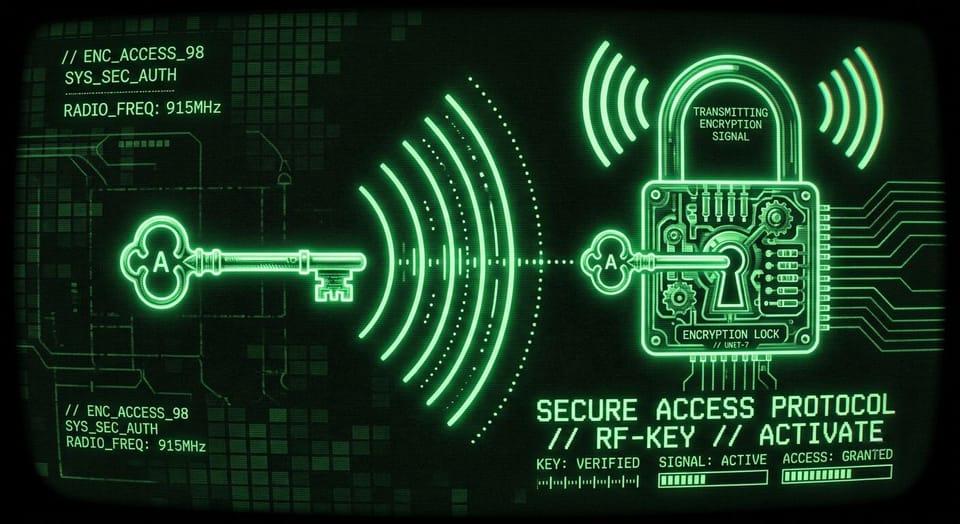
Most Meshtastic users assume their messages are private. They are encrypted, technically. But on the default channel, the encryption key ships on every device in the world. Anyone running Meshtastic can read every message you send on it.
That's not a flaw. The default channel is designed as a shared space where everyone on the mesh can communicate. For NEPAMesh community traffic, that's exactly right. For a conversation you want to keep within your family or team, it's worth understanding what you're actually broadcasting.
How channel encryption works
Every Meshtastic channel has two components: a name and a Pre-Shared Key (PSK). When you send a message, the app encrypts it using AES-256 with a key derived from that PSK. Anyone configured with the same channel name and PSK can read the message. Anyone without it gets noise.
The default channel is named LongFast. Its PSK is AQ== in base64, which is just the single byte 0x01. It's the factory default on every Meshtastic device. It is not a secret.
Sending "heading to the store" on the default channel means any Meshtastic node within range, or connected to a shared MQTT server, can read it. The message is encrypted in transit. The key is just public.
Creating a private channel
Adding a channel with a random PSK takes about two minutes.
On Android:
- Open the Meshtastic app and connect to your node.
- Go to Settings > Channels.
- Tap the pencil icon on any secondary channel slot (1 through 7).
- Give it a name your group will recognize.
- Tap Generate next to the PSK field to create a cryptographically random key.
- Save and write to your device.
On iOS and iPadOS:
- Open the app and connect to your node.
- Go to Settings > Radio Configuration > Channels.
- Select a secondary channel slot and edit it.
- Set a name and generate a random PSK.
- Save.
Any message sent on that channel is now encrypted with a key no one else has.
Sharing the channel
The app generates a QR code and a shareable link for each channel. On Android, tap the QR icon from the Channels screen. On iOS, use the share option in the channel editor. Send it to whoever needs access. They scan the code or open the link, and the channel is added to their node with the correct name and PSK automatically.
Do not share the PSK by typing it out. The QR code bundles the channel name, PSK, and modem preset in one shot. Typing it introduces error and means sending the raw key over whatever you're currently using to communicate, which may be the public default channel.
What's still visible
A private channel hides your message content. It does not hide everything.
Your node's ID and name appear in packet headers regardless of channel. Nodes routing your packets can see that node X sent something to node Y at a certain signal strength. They can't read the payload, but they know communication is happening.
If your node has GPS enabled and connects to NEPAMesh's MQTT server for map display, your position is published separately from your channel messages. Position telemetry goes out over the primary channel as its own packet type, independent of whatever private channel you're using. You can turn this off under Settings > Radio Configuration > Position, or dial it back: the position precision slider lets you reduce location accuracy in steps, so your node appears on the map at a neighborhood level rather than your exact address.
Node names are public regardless of channel. If you named your node after yourself, that name shows up in routing and on the map.
Direct messages
Current Meshtastic firmware uses Public Key Cryptography for all direct messages. When you send a DM to a specific node, it's encrypted with that node's public key so only they can decrypt it. The sender signs the message with their private key, so the recipient can verify who sent it. This is independent of channel encryption: even someone with your channel PSK cannot read your DMs.
Firmware 2.7.15 (released November 2025) removed legacy unencrypted DMs entirely. If your node hasn't been updated in a while, direct messaging with newer nodes will fail until you update. Check your firmware version under Settings > Firmware and update if you're below 2.5.
Practical setup for NEPAMesh users
Keep LongFast enabled as channel 0. That's where NEPAMesh community traffic lives and how you stay reachable to other nodes on the mesh.
For anything you want to keep within a group, add a secondary channel with a generated PSK and share it by QR code. Family check-ins, event coordination, anything you'd rather not broadcast publicly.
If you don't want your location on map.nepamesh.com, turn off position reporting or reduce precision in the position settings. Your node still routes mesh traffic either way.
Update your firmware. PKI-encrypted DMs require both ends to be on a recent release. Nodes still running pre-2.5 firmware can't receive them at all.
NEPAMesh is a community Meshtastic network covering Northeastern Pennsylvania's Wyoming Valley. Live map at map.nepamesh.com. Questions in the Discord.
Meshtastic is a registered trademark of Meshtastic LLC. No warranty is provided. Use at your own risk. This post is not endorsed by or affiliated with Meshtastic LLC.