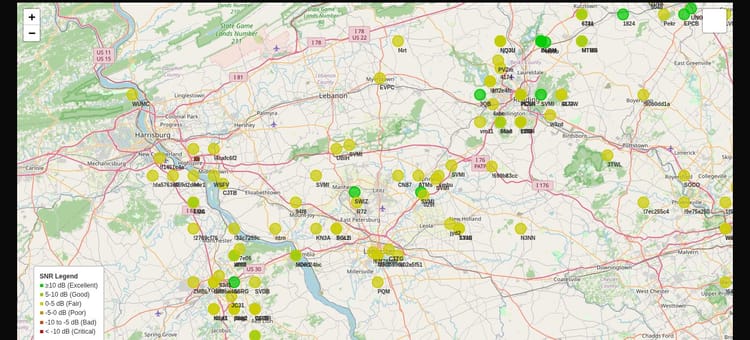
A Primer to NEPAMesh on Reticulum
What Is Reticulum
Reticulum, created by Mark Qvist, lets you build your own communication network from scratch over whatever medium you happen to have, be it a radio link, a USB cable, or the public internet. You don't need anyone's permission to do it, and you're not relying on anyone else's infrastructure.
I first connected to the Reticulum network on 03/22/2026, according to my git history. I spent an afternoon googling, asking AI, watching YouTube videos, and generally trying to wrap my head around the concept, until I finally got an instance of Reticulum MeshChat running. Documentation was sparse at the time, but Docker got it going fast. Understanding what I was looking at took quite a bit longer.
From there I stumbled into NomadNet. People were hosting chat rooms, BBS boards, guestbooks I could sign, even a couple of text-based dungeon crawlers, and it reminded me of the early internet: all text and ASCII art and people just being people. No blue checkmarks, no clickbait. One page published emergency weather alerts and earthquake data. The page I clicked right after it was a text rendering of a cat napping. No subscriptions, no advertising, nobody mining my data to sell me things I didn't ask for. That was the part that sold me. I sent some messages back and forth, mostly other people testing the waters the same way I was, everyone pinging random destination hashes with "test." None of it connected into a coherent system in my head yet. MeshChat, NomadNet, I was just poking around. Then other things pulled my attention away. My node kept running quietly in the background, but I barely checked it after the first couple of weeks. That was all on version 1.1.4.
What I didn't understand yet: Reticulum is a full networking stack, not a single app. Meshtastic and MeshCore are fixed, purpose-built systems. Their firmware runs over LoRa and defines a specific set of things you can do, like text messaging, position sharing, and telemetry, along with a specific way packets move through the mesh. Multiple apps pair to that firmware, on Android, iOS, and the web, but the mesh behavior itself is baked into the firmware and isn't something any client app changes. Meshtastic, MeshCore, and RNode (Reticulum's LoRa interface) are all open hardware and firmware in that sense. Where Reticulum differs is that it doesn't define what you build on top of it. Messaging, file sync, voice, whatever, that part stays open. It's a set of building blocks, addresses and encryption and routing, that you use to build your own version of Meshtastic or MeshCore, or something else entirely, over whatever medium actually fits. The manual lists LoRa radios, packet radio and AX.25 TNCs (amateur bands, properly licensed), data radios and modems, serial lines, WiFi and Ethernet, free-space optical links, or plain TCP/UDP over an existing IP network. If you want the fuller head-to-head that puts routing, encryption, apps, and cost for all three side by side, there's a dedicated comparison on the blog now. This document assumes you've already got the basic picture and picks up from there.
MeshChat bundles a few of those building blocks into one app:
- LXMF: the messaging layer, the actual send-a-text-back-and-forth piece
- LXST: the real-time voice protocol, built to work even over LoRa
- NomadNet browser: for reading pages other people host on the network. NomadNet itself is a separate program built on Reticulum for serving those pages, and people build real complex stuff with it, but MeshChat only gives you the reading half, not the hosting half
- rnstatus / rnpath / rnprobe: not MeshChat features, Reticulum's own diagnostic utilities bundled with the
rnspackage MeshChat depends on.rnstatusshows interface status,rnpathlooks up and manages paths,rnprobepings a destination to check connectivity. Install MeshChat from source and you already have these on the command line
Once that distinction clicked, stack versus app, the rest of it started making sense. This feels closer to building networks on Web3 than to another LoRa application. The manual is explicit that the goal is a network with "no central point of authority, control, censorship or barrier to entry," and it frames a Reticulum Identity as closer to a self-issued passport than anything handed out by an authority. It's not built to run on "anything" in some vague sense. It's built to run on anything that can generate and sign a keypair. The core primitives, Ed25519 and X25519, were chosen specifically because they run cleanly on both general-purpose CPUs and microcontrollers, which is why ports exist for bare microcontroller boards that never run Python at all. The Python code is the reference implementation, not a requirement. It exists to show what Reticulum actually does so you can port it wherever you need, and other implementations get judged on whether they match its behavior, not on whether they're also Python. Same "doesn't care what medium" idea, traced down to its actual root: the requirement was never a radio, or even Python. It's the ability to do the cryptography. Because that's the real requirement, encryption isn't a bolt-on feature. It's native to the protocol, applied by default on every packet, regardless of interface or medium. LoRa is one medium Reticulum happens to run over well, not what it's built around. The Reticulum API is complete, so what's left is building things on top of it.
Reticulum had already come up in our Discord before I picked this back up, something the group figured we'd want to look into eventually. Then we got stickers printed with the NEPAMesh logo, and Reticulum was listed right alongside MeshCore and Meshtastic on them. I did not want to make that sticker a liar.
Between 03/22/2026 and 08/06/2026, while I was busy ignoring my Reticulum instance, RNS went through a real stretch of releases:
- 1.1.9 (22 Apr): patched a security bug, a crafted decompression bomb in resource transfers that could crash a node
- 1.2.0 (28 Apr): added native Git over Reticulum (the
rngitutility) and thernshremote shell program - 1.2.5 (10 May): added ingress/egress limits on path requests, which stopped a wave of path-request and announce spam that had been hammering the network
- 1.3.4 (31 May): added signed, verifiable releases you can fetch and check directly over Reticulum itself, no GitHub required
- 1.3.8 (10 Jul): added new interface modes and announce-forwarding options for instances running multiple interfaces at once
- 1.4.2 (26 Jul): added the
gravityoption, dynamic path re-balancing, and finished the on-network interface discovery and bootstrapping system, the two pieces that got me unstuck
Version 1.4.2 shipped with updated documentation on building networks on Reticulum, including a new bootstrapping section and public-entrypoint section. That's when I picked it back up. Over a few days I stumbled through my own local setup, a transport node running inside my homelab, nothing public yet. Then I configured LoRa on top of it and messaged across two devices that had no other way of talking to each other. No WiFi, no carrier, nothing traditional in the path at all. That's when it clicked: a transport node isn't a personal convenience, it's public communication infrastructure. The manual is direct about who should run that kind of infrastructure, saying a good candidate is stationary, well-connected, and kept running most of the time. My homelab doesn't confidently meet any of those. It's more an ongoing science experiment than a server, and not what I'd call a stable gateway into a network people could eventually rely on. Infrastructure like that belongs to the community, not sitting quietly behind my router. So the right move was hosting it publicly as NEPAMesh. Reticulum's whole goal as a network stack, permissionless and free of any central authority, lines up with what we've already been building as a community anyway.
The result: a public transport node with a TCP Server interface for NEPAMesh at reticulum.nepamesh.com:4242.
I posted about it in Discord, and within the hour people managed to connect off config files dropped straight into chat with zero guidance on where they even went, screenshots of apps they didn't know existed until now, and vague explanations from me. I sent them my LXMF address and told them to message me. It worked. People were actually communicating over Reticulum, people I already knew from Meshtastic.
Once that worked, people had questions about what they'd just connected to and how to use it. Someone would ask how to get their radio talking to it, I'd say you need an RNode interface, they'd ask what that even was, and answering it properly meant walking through half of what's now in this document. I went looking for a concise, definitive guide to Reticulum I could point people at and couldn't find one, so I wrote one. I'm not an expert here. This is my understanding of the docs, worked out by actually setting this up, and it might contain mistakes. What I'm hoping for is a shared vocabulary and a shared starting point for the group, something to point at and say "ok, I get that, so what's next," or "that's not quite how I understand it," instead of everyone individually re-deriving the same basics from scratch.
A few terms, then what I actually set up
Before "public transport node with a TCP Server interface" means anything, here's the handful of terms Reticulum uses, some standard, some its own, in the order you need them to make sense of each other.
- Instance: every device running Reticulum. Most end-user devices, like your phone or laptop running MeshChat, are just instances.
- Interface: how an instance talks to the physical or virtual world. Reticulum interfaces exist for TCP, LoRa radio, serial ports, packet radio, I2P, and more, and you can mix as many as you want on a single instance.
- TCPServerInterface: the traditional way to accept incoming TCP connections.
- BackboneInterface: a newer, faster interface type built for high-connection-count use cases. Fully interchangeable with TCPServerInterface, and the two can connect to each other, Backbone is just more efficient with a lot of simultaneous clients. NEPAMesh currently runs on TCPServerInterface, though we could switch to BackboneInterface later without breaking anything for people already connected. (Writing this made me realize I should have set up a Backbone instead of TCP. You live and you learn. Probably updating this shortly.) If you're on Windows: the docs currently list BackboneInterface as Linux and Android only. If you're connecting from Windows, use
TCPClientInterface, same[[NEPAMesh]]block either way, it's fully compatible on our end regardless of which one you're running. - RNode: an open transceiver design, not a single product. Built from a microcontroller plus a LoRa radio chip, you can buy one pre-built or flash the firmware yourself onto commonly available boards, many of them the same boards Meshtastic and MeshCore run on.
- RNodeInterface: how Reticulum talks to an RNode. Easy to conflate with Meshtastic or MeshCore, since they also run over LoRa. RNode uses raw LoRa modulation, without any of the LoRaWAN protocol or the app-level assumptions those other networks bake in. Reticulum treats it as another interface, same as TCP or Backbone.
- IFAC (Interface Access Codes): an authentication layer you can add to any interface, whether TCP, Backbone, or RNode, using a
network_nameand/orpassphraseoption. Every packet on that interface gets signed with a shared key derived from those, and anything without a valid signature gets dropped. It turns an open interface into a closed, authenticated one. It's access control only, governing who's allowed on the interface, not how much traffic gets forwarded once they're on. It's also not what makes your traffic private, that's handled separately, by default, on every packet, regardless of IFAC. - Boundary mode: an interface mode for connecting two meaningfully different network segments, say a LoRa radio on one side and a fast internet-facing gateway on the other. It tells Reticulum "this link bridges two different worlds," and it matters for keeping fast-network traffic from flooding onto a slow one.
- announce_cap: caps how much of an interface's bandwidth can go to propagating announces and other network upkeep traffic, 2% by default. This is one of the actual throttles, unlike IFAC, which only controls who's allowed on, not how much traffic moves.
- announce_rate_target: sets a minimum time between re-propagating announces from the same destination, so one chatty destination can't monopolize a slow interface no matter how often it announces.
- Identity: the actual cryptographic keypair an instance holds, the root of everything else on the network. A single identity can generate as many destinations as it wants, each serving a different purpose, without a separate keypair for each one. LXMF and NomadNet usually share the same identity, but they're still different destinations,
lxmf.deliveryandnomadnetwork.node, and you need the specific one you're trying to reach. Knowing someone's identity doesn't hand you their LXMF address or their NomadNet page. You need the actual destination. - Destination: an address derived from an identity plus a label, called an aspect (like
lxmf.deliveryornomadnetwork.node), generated entirely on its own by the instance holding that identity, no central registry or DHCP-style coordination needed. It isn't an IP address, it's a 16-byte hash, and it can move across interfaces, mediums, or even separate Reticulum networks just by sending an announce on the new one. - Announce: a signed broadcast a destination sends over its instance's interfaces to tell the network it exists. This is how paths get built, since Reticulum has no central directory to look anyone up in. Announces are per-destination, not per-identity, and that's the important part. If your NomadNet node hasn't announced, nobody's finding it just because your LXMF address has, even though it's the same identity underneath. That's exactly why someone couldn't find my NomadNet page: they were watching for LXMF announces, not
nomadnetwork.nodeones, and having the right identity doesn't help if the specific destination they need never announced on a path they saw. - Transport node: an instance explicitly configured to help the network as a whole, not just itself. It forwards packets across hops, rebroadcasts announces, maintains path tables, and answers path requests on behalf of other nodes, acting as a distributed keystore for public keys along the way. Not every node should be one. A good candidate is stationary, well-connected, and kept running most of the time, and a network works best with just enough transport nodes to cover its area, not more.
- Propagation node: not a Reticulum concept, an LXMF one. Stores and forwards messages for people who aren't reachable at the moment a message is sent, so if you're offline, an encrypted copy sits there until you check in. Propagation nodes peer with each other and sync over time, so you can pull your messages from whichever one you can reach, not just the one that originally received them. Easy to mix up with transport node since both mean running infrastructure for other people, but they're different layers: transport nodes route Reticulum packets, propagation nodes store LXMF messages.
- Blackhole: blocks a specific identity's announces and traffic through your own instance,
rnpath -B <hash>, with an optional duration and reason attached. Operators can subscribe to each other's published blackhole lists (blackhole_sources) or publish their own (publish_blackhole), so a community shares one blocklist instead of everyone maintaining their own by hand. Only works on your own segment. There's no global ban in Reticulum, someone else can always choose to transport for a blackholed identity if they want to. - Network Identity: a shared identity signed onto discovery announces, so instances can verify "this interface really belongs to NEPAMesh" instead of trusting whoever announces loudest. Configured with the
network_identitydirective, and lets others set their own systems to only accept and connect to interfaces signed by specific Network Identities, effectively whitelisting known infrastructure. It doesn't do much for chaos on a segment people are already connected to, since it's about discovery authenticity rather than moderating who's already on.
Here's what I actually set up, using those terms: a Reticulum instance configured as a transport node, listening for incoming connections through a TCPServerInterface, on TCP port 4242 at reticulum.nepamesh.com. Anyone can point a TCPClientInterface (or a BackboneInterface, since they're interchangeable) at that address and port and use it as an entry point into the wider Reticulum network. Everyone who connects through NEPAMesh shares that same starting point, then starts meshing with each other directly, rather than routing everything through us permanently. More on why you don't even need to stay connected to us further down.
Line by line, this is the exact configuration that stood up reticulum.nepamesh.com. It's the bootstrap state, not necessarily what's running on the box right now, and that's by design: this config is built to discover its own paths and evolve on its own from here, with real output further down.
[reticulum]
  # Makes this instance a transport node: it forwards traffic and
  # answers path requests for others, not just itself.
  enable_transport = Yes

  # Lets other Reticulum-based programs on this machine share this one
  # running instance instead of each spinning up their own.
  share_instance = Yes

  # Distinguishes this shared instance from any others running on the
  # same machine. Only matters if you're running more than one.
  instance_name = NEPAMesh

  # Auto-discover and auto-connect to other public transport nodes once
  # the one hardcoded [[Bootstrap]] interface below has found them.
  discover_interfaces = yes

  # Caps how many discovered interfaces get auto-connected at once, so
  # this node doesn't try to hold open every public node it hears about.
  autoconnect_discovered_interfaces = 3

[logging]
  loglevel = 4

[interfaces]

  # Name of this interface, arbitrary, shows up in rnstatus output.
  [[NEPAMesh Public Gateway]]
    # Listens for incoming TCP connections.
    type = TCPServerInterface
    enabled = Yes

    # When a client connects here and asks for a path to a destination
    # it doesn't know, this node resolves that path across its other
    # interfaces on the client's behalf, instead of shrugging.
    mode = gateway

    # Listen on all available network interfaces on the machine, not
    # just one.
    listen_ip = 0.0.0.0

    # The TCP port clients connect to.
    listen_port = 4242

    # Makes this interface announce itself over the network so other
    # peers (and public Reticulum node maps) can find it automatically.
    # After deploying, check https://rmap.world (v4, auto-discovery) to
    # confirm this node actually shows up there.
    discoverable = yes

    # Human-readable name shown for this interface in discovery and on
    # maps like rmap.world.
    discovery_name = NEPAMesh Public Entrypoint

    # How often, in minutes, this interface sends its discovery
    # announce. 720 minutes is 12 hours.
    announce_interval = 720

    # The hostname other peers should connect to.
    reachable_on = reticulum.nepamesh.com

    # Only affects where this node is *drawn* on any map that consumes
    # discovery announces.  Reticulum does not geolocate by IP, and this
    # is unrelated to wherever the VPS itself physically runs. Set to
    # Scranton, PA, the county seat of Lackawanna County, as a
    # reasonable reference point since NEPA has no fixed boundary and
    # therefore no single correct centroid.
    latitude = 41.4090
    longitude = -75.6624
    height = 229

  # One-time bootstrap into the existing public Reticulum network.
  [[Bootstrap]]
    # Connects out to another node instead of accepting incoming ones.
    type = TCPClientInterface
    enabled = Yes

    # The node this instance connects to, to find its footing.
    # This is an arbitrary node I selected that I saw consistently pop
    # up when I was testing this all locally.
    target_host = catz.rns.moscow
    target_port = 4242

    # Once discover_interfaces and autoconnect_discovered_interfaces have
    # found enough other nodes through this connection, Reticulum tears
    # it down automatically. Scaffolding, not a standing dependency.
    bootstrap_only = Yes
Why this is the smallest useful piece of infrastructure
I kept this deliberately minimal. No LoRa hardware, no radio interfaces, no list of trusted peers to maintain by hand. There's no LXMF propagation node either, and that's a deliberate omission rather than an oversight. MeshChat, among other clients, can run its own local propagation node, and most people connecting through here already have one running. Hosting a shared one on NEPAMesh itself would mean holding onto other people's offline messages, and paying the storage and bandwidth for something already handled client-side. Two interfaces and a handful of settings, that's the entirety of what's required for NEPAMesh to have a public entry point on Reticulum. The comments above cover what each piece does. Here's what that bootstrap behavior looks like almost 24 hours in.
Shared Instance[rns/NEPAMesh]
    Status    : Up
    Serving   : 0 programs
    Rate      : 1.00 Gbps
    Traffic   : ↑70 B         0 bps
                ↓0 B          0 bps

TCPServerInterface[NEPAMesh Public Gateway/0.0.0.0:4242]
    Status    : Up
    Clients   : 7
    Mode      : Gateway
    Rate      : 10.00 Mbps
    Traffic   : ↑299.21 MB   23.37 Kbps
                ↓88.20 MB    14.45 Kbps

BackboneInterface[erw.us.thunderhost.net/erw.us.thunderhost.net:4242]
    Source    : Auto-connect via <8c583fdf194d9c733ede1dad51b1a599>
    Status    : Up
    Mode      : Gateway
    Rate      : 5.00 Mbps
    Traffic   : ↑30.18 MB    8.28 Kbps
                ↓46.01 MB    5.69 Kbps

BackboneInterface[NAUTILUS/41.216.182.131:4242]
    Source    : Auto-connect via <b7568649055fdf6ed9a94fe4c9a8ad1d>
    Status    : Up
    Mode      : Gateway
    Rate      : 5.00 Mbps
    Traffic   : ↑38.67 MB    3.33 Kbps
                ↓35.27 MB    0 bps

BackboneInterface[Arg0net RNS-VPS Italy/82.223.44.241:4242]
    Source    : Auto-connect via <486facd9b8fe5c79d47a236ce42eae23>
    Status    : Up
    Mode      : Gateway
    Rate      : 5.00 Mbps
    Traffic   : ↑17.61 MB    3.33 Kbps
                ↓16.40 MB    2.35 Kbps

Transport Instance <f93426b04a067d78635e4f102feb9f2f> running
Uptime is 23h, 25m and 7.71s
catz.rns.moscow isn't in that list. Somewhere in those 23 hours, discover_interfaces found three other public gateways on its own, thunderhost in the US, something called NAUTILUS, and a VPS in Italy. autoconnect_discovered_interfaces = 3 connected to all three, and once it had enough, Reticulum tore down the hardcoded connection to Moscow entirely. This node isn't leaning on the peer I picked anymore. It found its own.
That's what everything above was building toward. If you want onto NEPAMesh, the config you need is almost identical to what's running on the VPS, minus the gateway half, just one interface pointed at us:
[[NEPAMesh]]
  type = TCPClientInterface
  enabled = Yes
  target_host = reticulum.nepamesh.com
  target_port = 4242
  bootstrap_only = Yes
Mark it bootstrap_only, same as I did with Moscow, and the same thing that happened to our connection to Moscow will happen to your connection to us. Your instance uses NEPAMesh to find its footing, discovers other paths on its own, and eventually drops us entirely once it doesn't need us anymore. That's not a failure state, it's the design working. You don't lose anyone you'd already connected with when that happens either. They were never "on NEPAMesh," they're people your instance found a path to, and it keeps finding paths to them no matter what it's currently connected through.
Which is the reason to bother with any of this: personal infrastructure. Add a LoRa radio to the same instance that's connected to NEPAMesh, enable transport on it, and you've bridged the internet-facing hop and the radio hop on one machine. Complete two-interface config that does that:
[reticulum]
  enable_transport = Yes

[interfaces]
  # Actual Live Infrastructure
  [[NEPAMesh]]
    type = TCPClientInterface
    enabled = Yes
    target_host = reticulum.nepamesh.com
    target_port = 4242
    bootstrap_only = Yes

  [[My LoRa Radio]]
    type = RNodeInterface
    enabled = Yes
    # The USB serial connection to the RNode itself. Reticulum runs
    # on this machine, not on the board, more on that below.
    port = /dev/ttyUSB0
    # The current settings we're using. Subject to change at
    # the discretion of the NEPA Mesh community.
    frequency = 912345000
    bandwidth = 62500
    txpower = 17
    spreadingfactor = 8
    codingrate = 7
The NEPAMesh half of that config is the exact one people need to connect. The LoRa half is what I'm actually running: 912.345 MHz, 62.5 kHz bandwidth, 17 dBm, spreading factor 8, coding rate 7. NEPA already has a Meshtastic network running, with MeshCore incorporation on the roadmap, both operating in the US 902–928 MHz band, and any RNode hardware for this needs to be built for that band too. That's not a Reticulum limitation, it's the FCC. These specific values come from the RNode Quick Start Guide that ships with Simply Equipped's RNodes, and I checked with the group in Discord before running them. They're also not just vendor defaults taken on faith: Mark Qvist himself has recommended almost exactly this combination on its own merits, "a good balance between speed and range is something like SF8, CR6, BW62.5." Nothing I'm picking unilaterally, and it can still change if the community decides differently. But frequency, bandwidth, and spreading factor specifically have to match exactly for two RNodes to hear each other at all. Mismatch any of those three and the receiving radio simply isn't listening for what you're sending. So start with these unless the group actually changes them, otherwise you're just talking to yourself.
Same pattern regardless. One interface into the wider network, one out to a radio, enable_transport bridging the two. With these settings, anyone running this becomes two or three hops from the wider network: their radio to their own instance, their instance to NEPAMesh, NEPAMesh to wherever the destination actually is. A handheld LoRa node, two or three hops from a TCP connection sitting in a datacenter.
[Handheld RNode]
        |
        |  LoRa RF          <- Hop 1
        v
[Personal Instance]
        |
        |  TCP/Internet     <- Hop 2
        v
[NEPAMesh VPS]
        |
        |  TCP/Internet     <- Hop 3+
        v
[Wider Network]
Personal Instance in the above diagram represents one machine running both an RNodeInterface (to the radio) and a TCPClientInterface (to NEPAMesh), bridging the two. Most people already have enough gear for two instances, a phone and a laptop, and if you're still reading this, you probably have a couple of LoRa boards lying around, or are looking for excuses to buy more.
Flip it around and the same chain works from anywhere. In theory, someone sitting at a TCP interface in Australia could message someone reachable over the NEPA LoRa segment, same path, walked the other direction: their TCP connection to whatever transport node they've found, hop by hop across however many transport nodes sit between them and NEPAMesh, NEPAMesh to the LoRa bridge, LoRa bridge to the handheld. Distance isn't what determines reachability, a path is, and how long that path is, measured in hops, is the only "distance" Reticulum actually tracks. A message crossing an ocean and a message crossing town look identical to the protocol, just a different hop count. NEPAMesh's TCP backbone does the easy, cheap part, moving data fast across long distances. LoRa does the hard part, the last mile, the final hop from that backbone to an actual handheld radio out in the field, traditionally the most expensive and difficult piece of any network to build, especially somewhere like NEPA. The radios doing that work here aren't expensive though. The reference RNode setup runs around $100 even buying every part new, a fraction of what building out last-mile infrastructure normally costs. The board I used for my own interface is a Heltec WiFi LoRa 32 (V3), commonly called the Heltec V3, built on an ESP32-S3, less than $50 including an antenna I bought separately.
Even with the frequency settled now, that's still a bare radio interface as shown, no traffic shaping applied yet. More on IFAC and announce limits before this belongs on a shared regional network, further down.
Configuring LoRa
Everything so far has been TCP, riding on whatever internet infrastructure is already there. Fiber, wireless backhaul, Starlink, it doesn't matter, and you never had to think about it. LoRa is where this starts feeling like what you already know from Meshtastic or MeshCore: a radio board, probably one you already own.
RNode is an open, free digital radio transceiver design. Pre-built units show up for sale occasionally, but stock is unreliable, Simply Equipped has them listed for $135 at the time of this writing, though whether they're actually in stock by the time you read this is anyone's guess. The dependable path is flashing the firmware yourself onto a supported LoRa board with rnodeconf, which ships with Reticulum. Before buying new hardware: RNode firmware runs on a lot of the same boards Meshtastic and MeshCore already use, and the LilyGO T-Beam, LilyGO LoRa32, and Heltec LoRa32 are all supported. If you or someone in the group already has one of these sitting around, this might not need new hardware at all, just a firmware flash.
Not all "RNode" firmware behaves the same way, and the differences matter for what you can do with a board, especially coming from Meshtastic or MeshCore, where this trips people up.
- Standard RNode firmware: doesn't run a full Reticulum instance at all. It only handles the physical radio layer, modulating and demodulating LoRa signals. None of the actual Reticulum protocol, no identity, no routing, no encryption, runs on the board itself. It needs a full computer running Reticulum connected to it to do anything at all. Even Bluetooth doesn't get you around this: the official RNode Bluetooth setup guide has connecting over USB as step one, that's how Bluetooth gets enabled and pairing actually happens (
port = /dev/ttyUSB0in the config above is that USB connection), and there's an open, unresolved discussion asking for cable-free BLE pairing that the firmware doesn't currently support. Meshtastic and MeshCore boards are the whole node, self-contained, flash the firmware and stick it in a tree. A bare RNode can't do that, something else has to be attached and running the whole time, and even something as small as a Raspberry Pi Zero adds cost, power draw, and a second point of failure, a real problem for unattended, solar or battery-powered deployments. - microReticulum: a C++ port of Reticulum that can run directly on the same class of boards RNode uses, including full transport node behavior, no host computer required.
- RTNode-HeltecV4: built on top of microReticulum, standalone transport node firmware specifically for the Heltec V4 (also supports V3), bridging LoRa to WiFi/TCP so a single board can sit somewhere remote and actually be part of the network on its own, closer to what people expect from Meshtastic. Its own maintainer labels it Beta, and its path table is capped at 24 entries versus effectively unbounded on a desktop instance, real constraints from running a full protocol stack on a microcontroller.
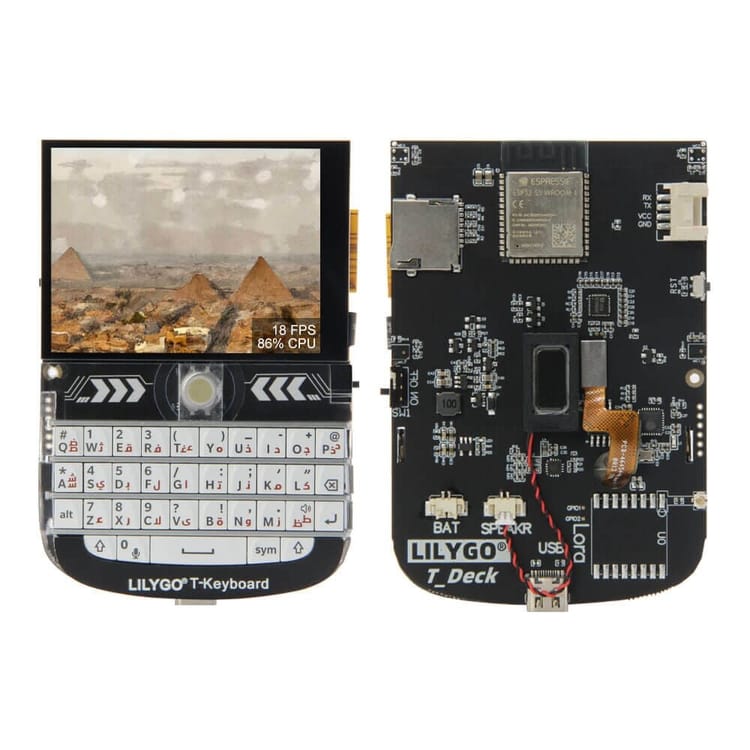
- rsDeck and rsCardputer: dual-mode firmware from Ratspeak, a separate Reticulum client and Rust implementation of the protocol, for the LilyGo T-Deck Plus and M5Stack Cardputer Adv. Both boot either standalone, a full on-device Reticulum/LXMF messenger, no host required, or as a host-controlled RNode, same board, your choice at boot.
This whole ecosystem is new and actively being built. We're not the first ones here, but we're not late either, and it's an exciting time to watch this evolve. My own read on it is that the things that feel like limitations right now, RNode needing a host, RTNode's memory constraints, are mostly just what happens when something's actually getting deployed in real places instead of staying theoretical, people finding the gaps by hitting them, then building the tools to close them, which is the whole point. Interested to see where all of this stands a year from now.
I've been thinking about what this means for my own personal infrastructure. One idea I'm considering is flashing an OpenWRT router and connecting a LoRa board to it over USB, a base station of sorts, always on, lower power than a full Pi. OpenWRT running Reticulum is a documented combination, the manual has install instructions for it, though it notes those are verified specifically on OpenWRT 21.02, other versions may need different commands, and it depends on having enough free flash and RAM, which varies a lot by router model. It looks like the flash/RAM constraint might be solvable by just plugging in USB storage, but that's still just a thought, not something I've actually tried. My actual RNode, the one I carry around, I'm treating more like an emergency kit than a fixed node: no WiFi, no cellular, plug it into my phone, reach back to that base station over LoRa. None of this is tested yet, and I haven't confirmed the RNode-over-USB half works the way I'm expecting on the OpenWRT side either.
Whichever firmware ends up running on it, how Reticulum itself treats LoRa traffic follows the same rules: an RNodeInterface isn't a special case, it's an interface, the same category as the TCPServerInterface NEPAMesh runs on. Announces and path requests get evaluated by the same rules regardless of medium: the manual describes accounting for bandwidth limitations and interface modes so slow segments aren't overwhelmed by traffic from fast ones, and prioritizing announces for nearby destinations when bandwidth is constrained.
That's the theory. In practice, that protection isn't automatic just because you plugged a radio in, it depends on configuring the interface correctly. A bare RNodeInterface, no mode set, no caps touched, bridged straight to a fast connection like NEPAMesh, gets treated by Reticulum as just another path to propagate a gigabit network's worth of announce traffic onto. The people who built Reticulum knew this could happen, and they left that part for you to figure out: IFAC, for making sure the segment is a known, authenticated group instead of anyone with a radio, and interface modes plus announce rate controls, for making sure our transport nodes don't dump traffic the radio can't handle. Both need group input before we put this on shared hardware. Details below.
Why connect at all: this is really about LoRa
Everything above explains why nobody's obligated to route through NEPAMesh forever, and that's true. But there's a bigger reason to connect through it, and it's the real reason I pinned a location on the map in the first place: this can become the seed of a real, geographically clustered LoRa mesh for NEPA that can communicate with the other side of the planet (and in theory other planets). That's the pitch, not a done deal, and whether we build toward it is a group decision, same as everything else in this section.
Here's why pointing directly at NEPAMesh matters at all, since technically you don't have to. Bootstrap through some other public node entirely and discover_interfaces will eventually find NEPAMesh, and any LoRa paths reachable through it, on its own, same as our own node found its way around Moscow. Pointing directly at us just gets you there faster, a shorter on-ramp instead of waiting on discovery to converge here. There's more nuance underneath that, IFAC and a few other things, not something to get into right now, but the short version is that direct connection is faster, not required.
That's also the real reason for the dot on the map. It's not claiming a fully deployed LoRa segment exists here right now, because it doesn't yet. What it signals is that there might be LoRa reachable in this area, so anyone looking has a reason to check. At least one LoRa node already exists here on Reticulum. Get a few more people around NEPA running personal infrastructure like the setup above, and instead of a scattering of unrelated LoRa islands, you get a mesh clustered around a real geographic area and discoverable as such. That's the entire point of setting latitude and longitude on the gateway. It's not decoration, it's staking out a location for a LoRa mesh that doesn't exist yet.
If we get to the point of planning node placement, there's already a tool for exactly this: Reticulum Network Planner. It does two things. Drive around with an RNode and a GPS tracker and it correlates signal readings into an actual coverage map, or give it a geographic area and constraints and it uses terrain elevation data to compute line-of-sight and suggest node placements, verified to have a line-of-sight mesh route back to a base station, optimized for either land area or population covered. Useful once there's an actual placement decision to make.
That planning matters more than it would somewhere starting from scratch. Meshtastic already has a real, physical mesh running in this region. MeshCore has a smaller footprint here at the moment, but it exists, and there's real effort going into extending existing coverage from neighboring regions across NEPA. Add Reticulum and that's three protocols wanting space on the same band, two of them already on the air. We need to carve out room so people can run whichever one they want, rather than muscle in on spectrum already in use. The goal isn't Reticulum replacing what's here, it's figuring out how it strengthens the existing mesh instead.
There are already efforts to run Reticulum over Meshtastic and over MeshCore directly, reusing hardware and spectrum already deployed instead of standing up a separate RNode segment at all. RNS_Over_Meshtastic tunnels Reticulum through a Meshtastic node's serial interface, though the default LongFast preset isn't recommended for it, the dev suggests ShortFast, which still only nets around 500 bytes/s, a lot slower than a dedicated RNode because of encapsulation overhead. There are also open RFC discussions about using Reticulum as a shared backhaul layer for both Meshtastic and MeshCore.
For all the reasons already covered in this section, whether congestion, announce flooding, or three protocols wanting room on one band, tunneling our own announce traffic through someone else's already-running network could do more harm than good if it isn't thought through first. That's not a reason to dismiss it, it's a reason to evaluate each approach on its own before adopting it, same caution as everything else here.
My actual recommendation right now: wait and watch how these efforts play out elsewhere, let them get vetted by the wider community first, before we try reusing our existing Meshtastic or MeshCore infrastructure in any way.
None of this is a reason to wait on setting up your own gear, though. You can put together a dedicated RNode LoRa interface and start experimenting right now, and none of these open questions need to be settled first. Just don't treat it as permanent infrastructure yet, since a misconfigured frequency or unthrottled announce traffic could cause real disruption to the existing Meshtastic or MeshCore meshes sharing that band.
Bridging TCP and LoRa on the same instance creates a real problem we need to address as a group: LoRa is extremely low-bandwidth compared to the TCP link NEPAMesh runs on, and the manual is blunt about what happens if you don't account for that. If announce traffic from a fast connection like ours passes straight through onto a LoRa interface without restriction, Reticulum will do its best to comply, and the LoRa network won't work well, swamped with traffic meant for a gigabit-scale network.
On IFAC specifically: it's the tool for making the segment a known, authenticated group, the network_name and passphrase options, so random public peers can't just join. That doesn't need to be some closely-guarded secret, same deal as the MQTT credentials on the NEPAMesh blog: username and password are both printed right there in the post, public, because the point was never to hide them. The point was keeping the MQTT server from getting flooded by unrelated traffic, running uplink-only so nothing from the internet gets pushed back onto the RF mesh and congests it. IFAC on a LoRa interface is the same idea. network_name and passphrase aren't there to lock anyone out, they're connection instructions, so the segment stays a known, deliberate group instead of every RNode on the public internet defaulting onto our specific radios. The manual describes this directly as Reticulum being able to create "named virtual networks" on shared physical mediums, exactly what this is: our own LoRa segment, logically separate from the wider public network, running on the same physical band as everyone else.
Same personal-infrastructure config as above, with IFAC added to the radio side:
[reticulum]
  enable_transport = Yes

[interfaces]
  # Actual Live Infrastructure
  [[NEPAMesh]]
    type = TCPClientInterface
    enabled = Yes
    target_host = reticulum.nepamesh.com
    target_port = 4242
    bootstrap_only = Yes

  [[My LoRa Radio]]
    type = RNodeInterface
    enabled = Yes
    port = /dev/ttyUSB0
    # Current settings, see note above.
    frequency = 912345000
    bandwidth = 62500
    txpower = 17
    spreadingfactor = 8
    codingrate = 7

    # IFAC. Placeholder values, same spirit as the MQTT credentials
    # on the blog: not a deep secret, just the connection info for
    # people actually on this LoRa segment, so random public peers
    # don't wander onto our radios.
    network_name = nepamesh_lora
    passphrase = group_decides_this
It doesn't by itself solve the flooding problem. It controls who can participate, not how much traffic gets forwarded once they're on. boundary mode, announce_cap, and announce_rate_target are the actual traffic-shaping tools for that.
Here's what that looks like. The boundary mode's worked example is this exact setup: an instance that's part of a LoRa-based network but also has a high-speed connection to a public Transport Node, the internet-facing interface is what gets set to boundary, not the LoRa side. The LoRa side is what access_point mode was built for instead, a radio interface where users connect momentarily, use it, and disappear again. Designed to keep the radio quiet unless someone needs it.
[reticulum]
  enable_transport = Yes

[interfaces]

  [[NEPAMesh]]
    type = TCPClientInterface
    enabled = Yes
    target_host = reticulum.nepamesh.com
    target_port = 4242
    bootstrap_only = Yes
    # The internet-facing side, connecting this LoRa-based
    # instance out to a much faster network. This is the
    # manual's own textbook boundary case.
    mode = boundary

  [[My LoRa Radio]]
    type = RNodeInterface
    enabled = Yes
    port = /dev/ttyUSB0
    frequency = 912345000
    bandwidth = 62500
    txpower = 17
    spreadingfactor = 8
    codingrate = 7
    network_name = nepamesh_lora
    passphrase = group_decides_this
    # Keeps the radio side quiet until someone's
    # using it, instead of broadcasting announces onto a
    # slow link constantly.
    mode = access_point
boundary has a counterpart mode called internal, for interfaces on a network the boundary side shouldn't talk back into. Announces propagate from internal interfaces out to boundary ones by default, not the other direction, so an internet-facing boundary interface won't dump its announce volume onto an internal one automatically. announces_from_internal and announces_to_internal override that default relationship in either direction if the standard behavior doesn't fit. Reticulum also runs ingress and burst controls on new-destination announces and path requests automatically by default, but those defaults weren't calibrated with a bandwidth-starved LoRa link specifically in mind, so check ingress_control and its related settings too.
Reticulum is flexible enough to let us do interesting things with it, whether that's personal infrastructure, disaster recovery, resilience, or just chatting about the weather, whatever the group wants to do. That flexibility comes with a responsibility attached: whatever gets built has to stay usable for everyone on it, not just whoever configures their interface first.
Everything else is a real to-do list, not settled theory, and it's the actual answer to "what does NEPAMesh do now that it's past getting started":
- IFAC credentials: the actual
network_nameandpassphrasefor the LoRa segment, still markedgroup_decides_thisin the example config above. boundaryandaccess_pointmode: the pairing the docs recommend for bridging NEPAMesh onto a LoRa segment, sourced straight from the manual, but never run on real radios.internalmode: whether NEPAMesh actually needs it anywhere, or whetherboundary/access_pointalone is enough.ingress_controland its related settings: the defaults weren't calibrated for a bandwidth-starved LoRa link, still needs checking once there's real traffic to check against.- Field testing: getting a couple of RNodes on the air, as a group, and watching what happens instead of configuring everything above on faith.
- A band plan: settled, for now. 912.345 MHz, 62.5 kHz bandwidth, spreading factor 8, coding rate 7, the current settings I'm running. Subject to change at the community's discretion, but no longer an open question.
gravity: new in 1.4.2, could matter for keeping local LoRa traffic on LoRa, but the manual's one paragraph on it doesn't explain the mechanics well enough to configure with confidence yet.- Node geography: where nodes go for real coverage, using something like the Reticulum Network Planner mentioned earlier.
- All the other fun stuff that comes with building and operating a mesh
None of this gets settled by reading more documentation. It gets settled by actually doing it, together.
Right now, the smallest useful piece of this infrastructure is already live: the NEPAMesh gateway, up and reachable. That's a complete thing on its own, and you don't need any of the LoRa material above to get value out of connecting. Whether it grows into more than that is up to us, as a group and a community, to figure out based on what we need.
What I'm Actually Running, In Detail
Enough acronyms and protocols and traffic problems. Here's what actually runs on my devices, as of 1.4.2.
MeshChatX is what I run on my laptop day to day, but that's not what I started on. Back at 1.1.4, Reticulum MeshChat, the original, is what got me up and running the first time. MeshChatX is a fork of that, and it's what I've switched to since. I also have an instance deployed on a server, so there's an always-on instance to send messages through even when my laptop's closed. It's more actively maintained at this point, and it's all-in-one: cross-platform (macOS, Windows, Linux), and it packages everything the original does, plus more. One recent addition is Relay Chat support, connecting to RRC hubs, Reticulum's own live chat protocol, closer in spirit to IRC than to a modern everything-app. RRC isn't a feature of Reticulum 1.4.2 itself, it's a separate protocol that MeshChatX added support for in its own release cycle, they just landed around the same time.
Columba is my Android client. It has a NomadNet browser built in, though browsing NomadNet through it is clunky, and it pairs directly with an RNode over Bluetooth. This one will likely feel more familiar to Meshtastic app users.
Sideband is another option, Android and desktop both. Columba's UI feels more polished to me, that's an opinion, not a knock on Sideband, it's a capable LXMF and LXST client.
rBrowser is the standalone NomadNet browser I run. I also run an instance on a server, so I can pull it up over the web and scroll through NomadNet instead of Reddit.
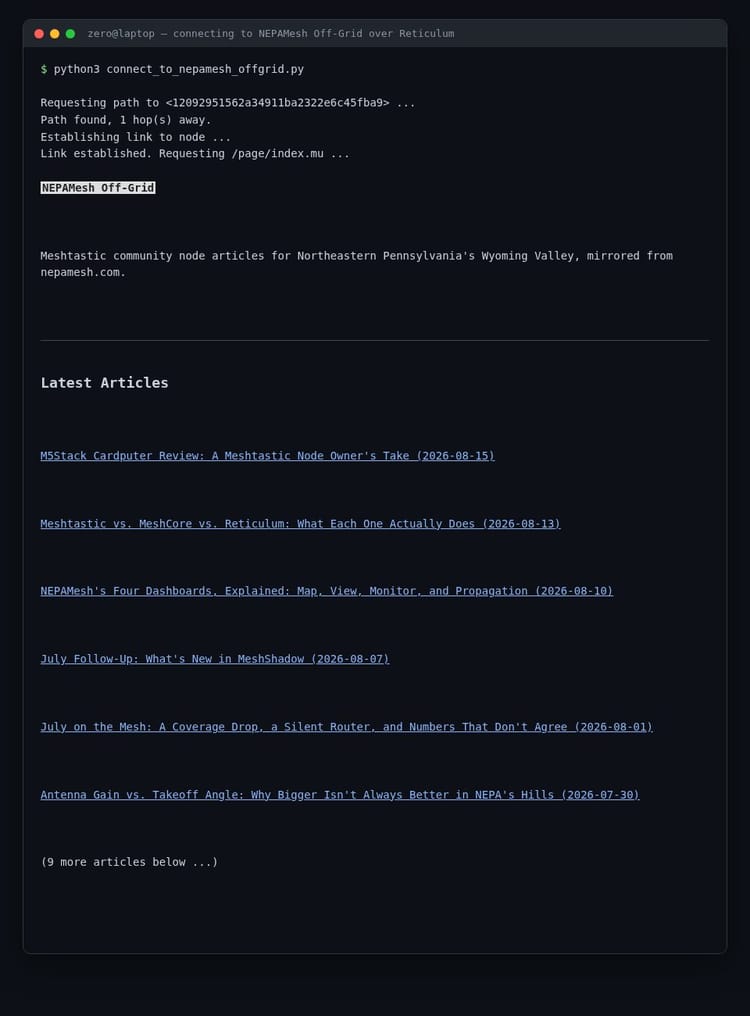
NomadNet itself runs on a server too, serving a simple Micron page that publishes an LXMF address for one of my Reticulum instances. Want to host your own page? The NomadNet wiki covers the basics: set enable_node = true and a node_name, drop .mu files in storage/pages, name your index page index.mu. If you'd rather not write Micron by hand, Micron Composer is a web-based editor with a live preview, so you can write and refresh a page without a full NomadNet install just to check formatting. For a much bigger example of the same idea, the blog itself now mirrors onto Reticulum too, NEPAMesh Off-Grid, the entire article archive served as NomadNet pages.
Still a little hard to believe: the NomadNet page I'm hosting right now runs on a mini PC sitting on a bookshelf, entirely on my LAN. No ingress. No port forwarding. No router configuration of any kind. Discoverable and reachable anyway, just an outbound connection to NEPAMesh, and NomadNet's own docs confirm this is the expected pattern: a node only needs an interface reaching out, the gateway on the other end resolves paths back to it on request.
Things You Can Do
Everything above is what I personally landed on, but it's a small slice of what's out there. The Programs Using Reticulum chapter of the manual lists a lot more, and the community-run awesome-reticulum list on GitHub goes even further. A few highlights:
- Run a Git server: rngit, full Git repository hosting over Reticulum, works transparently with normal
gitcommands through arns://remote. - Run a file sync server: RNS FileSync, automatic file sync between devices, no central server, works over any medium Reticulum supports.
- Run a bulletin board: RetiBBS, message boards over Reticulum.
- Host an entire encyclopedia: Retipedia, serves a
.zimfile, Wikipedia or anything else in that format, to NomadNet clients. - Run a live chat hub: rrcd, the reference RRC hub-server, with rrc-gui and rrc-web as clients.
- Build a bot: LXMFy, a bot framework for LXMF, existing bots cover things like Home Assistant control and LLM integrations.
- Run a remote shell: rnsh, fully interactive remote sessions over Reticulum, usable even over LoRa-speed links. There's already a live example of this on NEPAMesh, an actual BBS bridged onto Reticulum through rnsh, message boards, file areas, door games, all of it.
- Build a physical phone: rnphone and LXST Phone, command-line and desktop LXST telephony, rnphone can drive real GPIO keypads and LCD displays for a hardware handset.
- Build network planning tools: Reticulum Network Planner already exists and is something we can actually use. The ecosystem's still new, so there's probably other stuff out there if we look, or just building ourselves for whatever specific need comes up. We're not starting blind either, we already know the Meshtastic and MeshCore equivalents of most of what we'd need, coverage maps, node tracking, we've been using versions of that tooling for those networks already.
- Mine our existing telemetry: Meshtastic and MeshCore have been running in this region for a while, and that means real RF data already exists, signal reports, coverage, node telemetry. Figuring out how to pull insight out of that instead of starting from zero could answer a lot of the open questions above, node geography especially, before we put up new dedicated hardware to go find the same answers again.
Not close to exhaustive, just what's on the manual's own list. Poke around NomadNet for more, a lot of this ecosystem is only really discoverable that way.
So What's Next
If you've read this, you now know as much as I do about Reticulum, which isn't much. But sharing what I found should lead to real discussion on what we do with this new NEPAMesh transport node. My main motivation for writing this up: articulating to the community what my current understanding of Reticulum is, so when people go read the documentation themselves and try to set up a node, they have a baseline to compare against. If something they read and set up doesn't match what's written here, we've identified a gap, and that gap leads to a deeper understanding of how all this works, which we apply back to our own mesh. Part of the fun of this is learning through doing. Hopefully this also provides a little more context going into the official docs. This write-up isn't a replacement for them, it's a book report on them, and the Zen of Reticulum especially might land easier with some of that context already in your head.
Writing this also forced me to go back and verify everything against the manual before letting anyone else read it, which means I know more about Reticulum now than I did while standing up the NEPAMesh transport node in the first place, and why we'll be updating our config to use a BackboneInterface instead. Hoping it does the same for someone else. None of that means I'm doing it right. This document may still have incorrect information or bad assumptions sitting in it somewhere, and that's exactly the kind of thing that should get caught and corrected, so we learn this together. We have a #reticulum channel in our Discord now.
Go read the actual docs for yourself, that's the whole point:
- Getting Started Fast
- Using Reticulum on Your System
- The Zen of Reticulum
- Reticulum: Unstoppable Networks for The People, Mark Qvist's (Reticulum's creator) own talk at 38C3, a primary source rather than just another explainer
A couple of YouTube videos that helped along the way too:
- The Internet, Reinvented. (video, Data Slayer)
- How to Become Your Own ISP (video, Data Slayer)
NEPAMesh is a community Meshtastic network covering Northeastern Pennsylvania's Wyoming Valley. Live map at map.nepamesh.com. Questions in the Discord.
Meshtastic is a registered trademark of Meshtastic LLC. No warranty is provided. Use at your own risk. This post is not endorsed by or affiliated with Meshtastic LLC.