The NEPAMesh BBS: A Complete Guide, Windows Install to Downloading Files
NEPAMesh has a BBS now. A real one, message boards, file areas, door games, all of it, running the same way bulletin boards ran in the 90s, except instead of dialing a phone number you reach it over Reticulum, the off-grid mesh networking stack that also carries this site's own off-grid mirror.
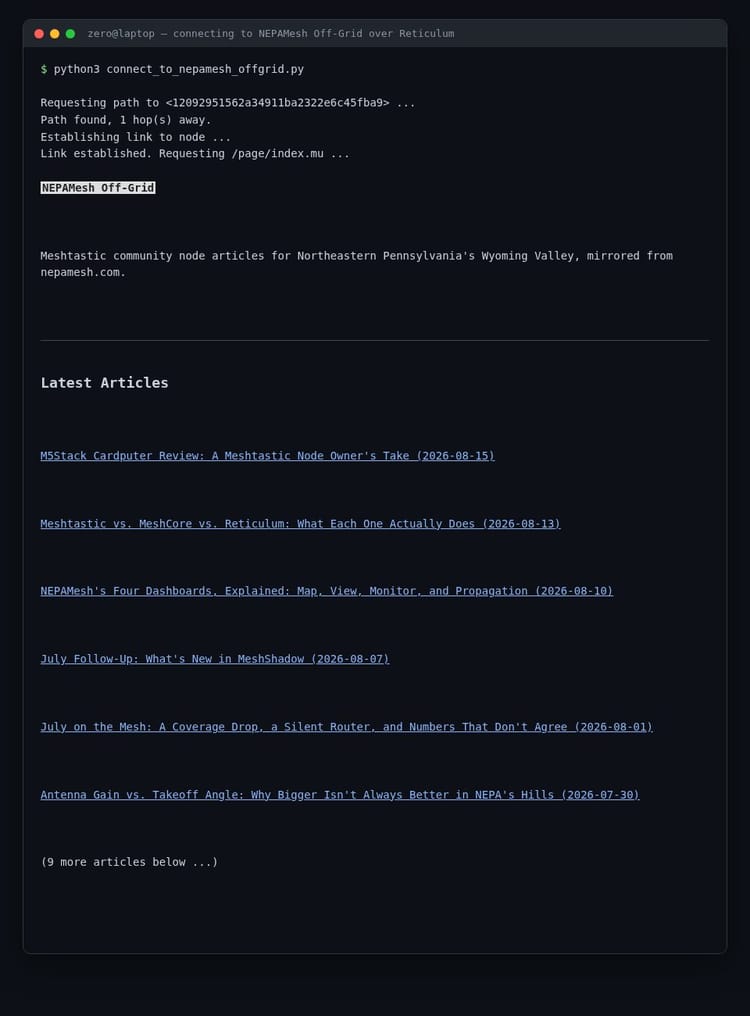
This post walks the whole thing from zero. Installing Reticulum on Windows if you've never touched it before, connecting, what's actually on the other end, and why it's built the way it is. Every screenshot here is a real terminal connected to the real, live board. Nothing staged.
Before you dive in: this is a work in progress, not a finished product. File downloads aren't fully working yet. The door games have a few hiccups too, the Nepamund MUD especially, and Trade Wars 2002 has a display glitch we're still tracking down. If you run into something broken, drop a note in the #reticulum channel on Discord.
What's Actually Happening Here
Reticulum is a networking stack designed for places the regular internet doesn't reach, or shouldn't need to. It can run over LoRa radio, packet radio, or a plain internet connection, and it builds encrypted, addressable connections on top of whatever's available. Every destination on the network is identified by a cryptographic identity instead of an IP address, so there's no DNS, no ISP, nothing centralized required.
The BBS itself runs on ENiGMA½, an actual, actively-developed BBS engine. It's bridged onto Reticulum through rnsh, a tool that opens a remote shell session over the mesh the same way SSH opens one over the internet.
Installing Reticulum on Windows
Mac and Linux users, this is easier for you and you likely already know the steps. Here's Windows, in order.
You need Python first. Grab it from python.org if you don't have it. When the installer runs, there's one checkbox that matters: Add python.exe to PATH. It is not checked by default. Check it, or none of the next steps will work from the command line.
With Python installed, open PowerShell (just search for it in the Start menu, no admin rights needed) and run:
pip install rns rnshrns is Reticulum itself. rnsh is what actually gets you a shell session on the BBS.
Telling Reticulum Where the Network Is
Since you probably don't have a LoRa radio already sitting on this mesh, the easiest way in is a TCP connection to a public gateway node that's already bridged onto it.
Reticulum reads its settings from %USERPROFILE%\.reticulum\config. It doesn't exist yet on a fresh install, so create the folder and the file yourself (Notepad works fine) with this inside:
[reticulum]
  enable_transport = False
  share_instance = True

[interfaces]
  [[NEPAMesh Public Gateway]]
    type = TCPClientInterface
    interface_enabled = True
    target_host = reticulum.nepamesh.com
    target_port = 4242
Save that, and your machine now has a path onto the NEPAMesh Reticulum network, even with zero radio hardware of your own.
Connecting to the BBS
Back in PowerShell:
rnsh 9528c9475af00f4a93bd01f938c73c4bThat string is the board's actual network address. Reticulum destinations are identified by a hash like this instead of a hostname, so yes, it looks unfriendly. You'll only need to type it once if you save it somewhere.
The first time you connect, you'll be asked to pick a handle. After that, you're straight in.
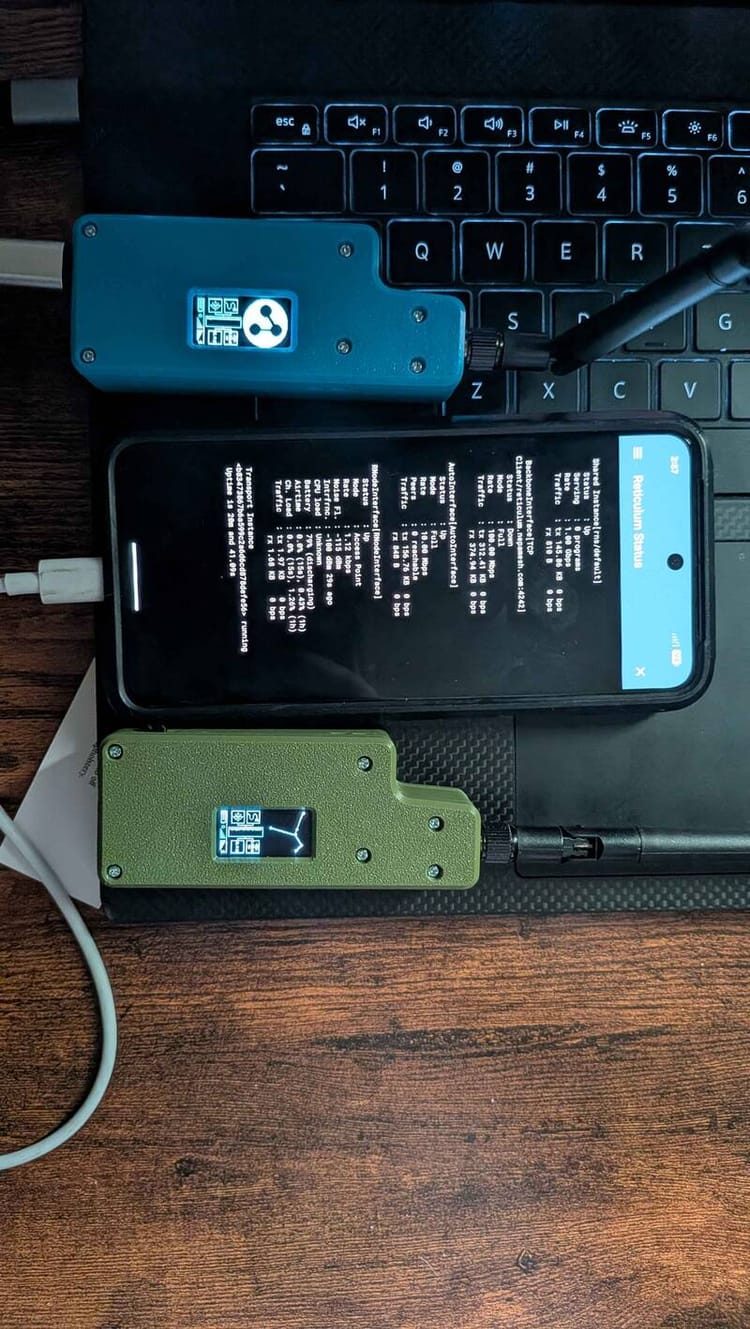
Honestly, I didn't expect much the first time I actually tested this for real. I plugged an RNode into my laptop, put the whole machine into airplane mode, WiFi off, cellular off, everything off, and left the RNode as the only way in or out. No internet path existed on that machine at all. It still connected. Announces came through on NomadNet, the BBS let me straight in, nothing quietly falling back to a connection that wasn't really off-grid. I've tested enough setups that half-work to expect that going in. This one didn't. The nostalgia caught me off guard too, that "wait, this is actually happening" feeling, the same one Faith No More named a song after. Epic, in the literal sense of the word.
Why There's No Password
You'll notice there's no login screen, no username field, no "create an account" form anywhere. That's on purpose.
The Reticulum identity your rnsh client already holds is your account. Connect with an identity the BBS has never seen, and it quietly creates an account tied to that identity and asks you for a handle. Connect again later with the same identity, and you're just logged in, automatically, no password involved anywhere in the process. There's nothing to forget, nothing to leak in a breach, nothing to phish, because the whole concept of a password never enters the picture. The only thing that matters is whether you control the Reticulum identity behind the connection.
The handle exists purely so your posts and messages show a real name instead of a long hex string. It's checked for uniqueness the moment you pick it, case-insensitively, so nobody can grab a name that's already taken. You can change it later from the user config menu without losing your account, since underneath, your account is still tied to your identity, not your handle.
Finding Your Way Around
Type ? at the main menu whenever you're lost, and you get the full command list on one screen:
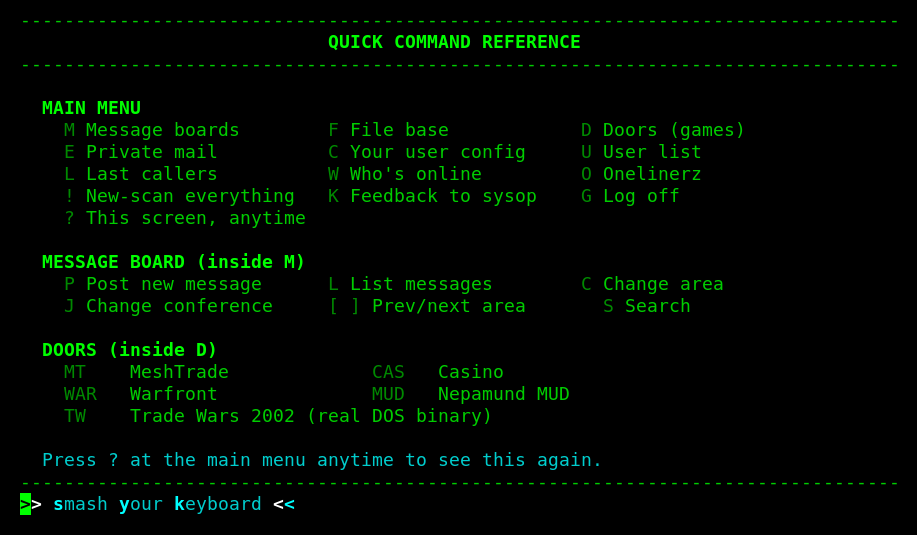
Every command is a letter or short code, typed at a prompt, followed by Enter. That's the entire interface. If you've never used a BBS, this is genuinely all there is to learn.
Message Boards
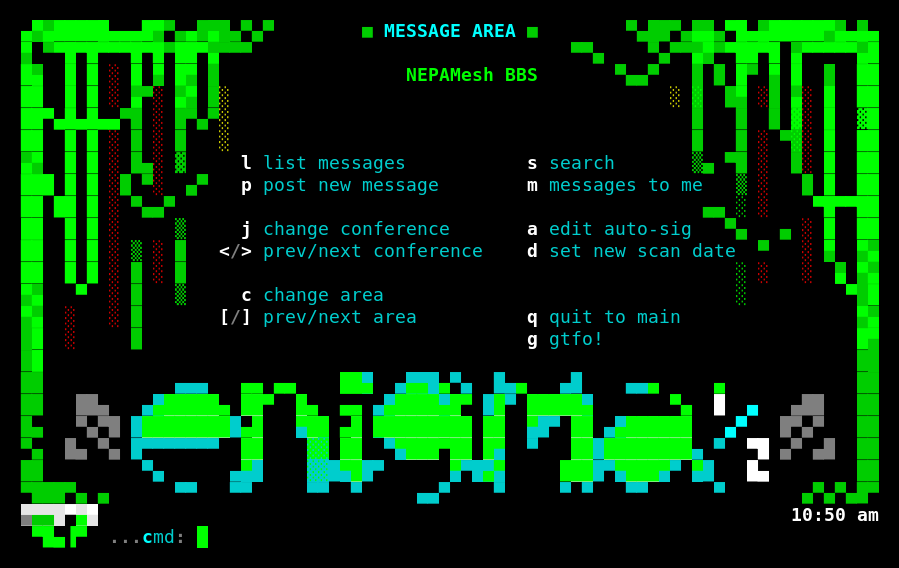
Seven areas: General, Meshtastic & Mesh Networking, MeshCore, Reticulum, NEPA Local, Node Help, and a sysop Announcements area. The mesh-network-specific ones already have real reference material sitting in them, official documentation pulled straight from the Meshtastic, MeshCore, and Reticulum projects themselves, not summaries I made up. Post a question in Node Help if you're stuck getting a node running; that's exactly what it's there for.
File Base
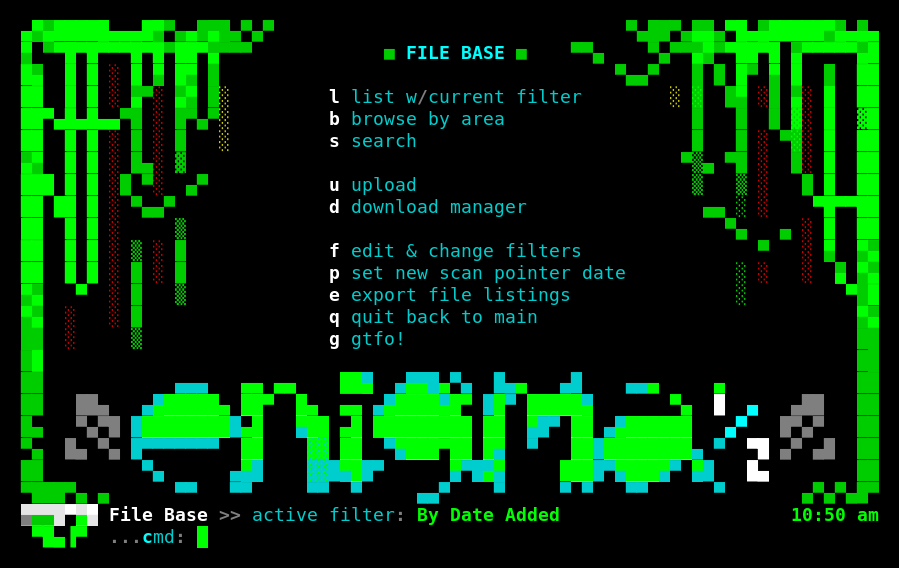
Five areas matching the message board topics, browsable and downloadable. Downloads go over Zmodem, the file-transfer protocol BBSes have used forever, which plain PowerShell doesn't understand on its own. If you want to actually pull files down rather than just read around, run SyncTERM inside Windows Subsystem for Linux, with rnsh handling the connection underneath it. Browsing and reading work fine straight from PowerShell either way; downloading specifically wants a client that speaks Zmodem.
Door Games
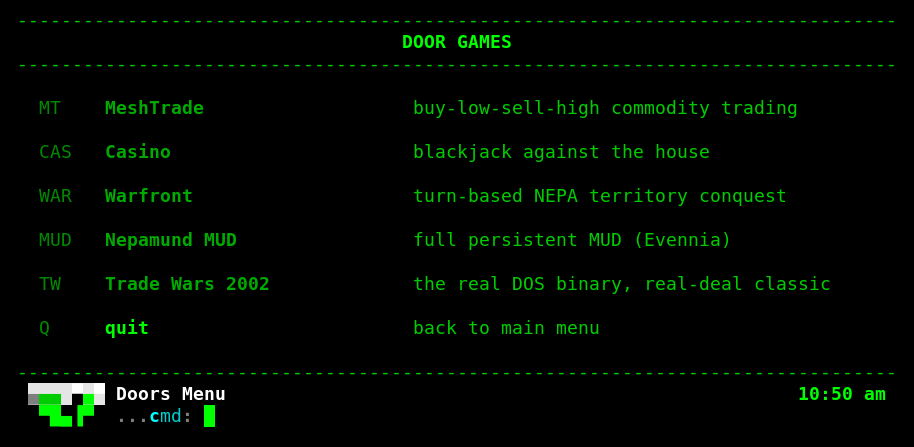
Five doors, and this is where the board gets a little ambitious.
MeshTrade is a buy-low-sell-high commodity trading game, reskinned around mesh hardware instead of the usual contraband. It's NEPAMesh's own native door, not a port. Casino is straightforward blackjack against the house. Warfront is a turn-based territory conquest game fought over a map of actual NEPA townships, Scranton, Wilkes-Barre, Hazleton, Pittston, Dallas, Back Mountain, and Carbondale, against two AI factions.
Nepamund MUD is a full persistent multiplayer world, built on Evennia, with the same NEPA geography as Warfront reimagined as a mesh-punk setting where the network itself is half technology and half local legend. It has real rooms, real NPCs, and a couple of custom commands, and it stays up between visits.
Trade Wars 2002 is the one I'm proudest of. That's not a reimplementation, it's the actual 1990 DOS binary, the real Martech Software release, running inside a genuine x86 emulator built directly into the BBS software, with the original serial-port driver bridging its output straight to your terminal. You are playing the actual, unmodified 35-year-old game.
A Quirk You Might Run Into
If your connection drops for no reason while you're just reading a message or sitting at a prompt, that's not the board misbehaving. It's Reticulum's own link layer. The rns library scales its keepalive interval down based on how fast your connection looks, and on a quick link that can shrink to five seconds. Pause long enough without sending anything and your own client can decide the link's gone stale and close it, regardless of what's happening on our end.
We've raised that floor to sixty seconds on both BBS containers here, but that only helps our half of the link. If it's happening to you a lot, the fix is a one-line edit in your own rns install, KEEPALIVE_MIN in Link.py, raised the same way. Ask in #reticulum if you want a hand finding it. Over an actual LoRa hop the round trip is slow enough that this mostly doesn't matter. It's fast TCP gateway connections, like the one into NEPAMesh, where it shows up.
What's Underneath
This box also runs Thinkleet's own BBS as a completely separate instance, both boards sharing one physical RNode radio through a single Reticulum daemon underneath. Every login server on either board is bound to localhost only. Nothing is exposed to the open internet, ever. The only way to any of it is through Reticulum itself, which means there's no port to scan and no password to guess, because neither of those things exist in this picture.
That's everything you need. Install Python, pip install rns rnsh, save the config, run rnsh 9528c9475af00f4a93bd01f938c73c4b, pick a handle, and you're on.
NEPAMesh is a community Meshtastic network covering Northeastern Pennsylvania's Wyoming Valley. Live map at map.nepamesh.com. Questions in the Discord.
Meshtastic is a registered trademark of Meshtastic LLC. No warranty is provided. Use at your own risk. This post is not endorsed by or affiliated with Meshtastic LLC.