April on the Mesh: 337 Nodes, a Shadow Map, and a Bot That Actually Talks Back
April was productive. Unreasonably productive, honestly, for a community of people who spend their free time pointing antennas at mountains and arguing about hop counts. We shipped a lot this month, guides, tools, maps, a bot, and the network kept growing through all of it. Let's go through it.
By the Numbers
We kicked off April with a hard look at the network, actual data, not vibes.
As of April 1st: 337 total nodes on NEPAMesh, with 246 active in the last 24 hours. That's a 73% active rate, which is solid. The mesh processed 19,292 packets in a single day with a reported 100% success rate. Average signal was sitting at -98.9 dBm RSSI and -8.3 dB SNR, not beautiful numbers, but the mesh doesn't need beautiful numbers. It needs working ones.
Hardware-wise, RAK and Heltec are running the show. RAK4631s (89 nodes) and Heltec V3s (81 nodes) together make up over half the network. The 20 PORTDUINO/Linux nodes are doing the heavy lifting as always-on infrastructure, punching well above their weight, as infrastructure tends to do.
The longest single-hop RF link clocked in at 127.5 km (79.2 miles). Bears Head to MountHollyRptr at -13.8 dB SNR. The world record is 206 miles. We're not there yet, but we're also not trying that hard yet, so.
The stat that actually matters: 22 text messages in 24 hours. Out of nearly 20,000 packets. That means people are using this thing to actually talk to each other, not just stare at dots on a map. That's the whole point.
"Don't Be That Node"
The network's gotten big enough that bad behavior has real consequences. So we wrote the guides.
First up: Recommended Node Settings. The short version, your node is probably broadcasting way more than it needs to. Node info every 10 minutes? Position updates every 30 seconds? Neighbor Info module enabled? You're that node. The mesh has shared airtime, and burning it on telemetry nobody's reading is bad citizenship.
The fix is boring but important: node info every 4 hours, position every 4 hours (1 hour if you're actually moving), telemetry every 2 hours. Turn off Neighbor Info entirely. Set hops to 5. The mesh works better when everyone's a good neighbor.
Then: MQTT Setup. Five minutes, your node shows up on the map. Server is mqtt.nepamesh.com, username meshdev, password large4cats, yes, really, that's the password. Root topic is msh/nepa, case-sensitive. Uplink on, Downlink off, that last part matters. Downlink off means internet traffic stays off the radio mesh. "OK to MQTT" toggle on in LoRa settings. Done.
And because new people keep finding NEPAMesh and not knowing where to start: Getting Started with Meshtastic. Text messaging, GPS sharing, sensor data, no cell towers, no internet, no monthly bill. A Heltec LoRa32 V3 runs about $20. Attach the antenna before you power it on. Seriously. Do that first. Don't ask why, just do it.
Propagation Monitoring: The Part We're Actually Proud Of
This is the big one.
Mid-April we teased it. By April 29th, propagation.nepamesh.com was live with the full stack.
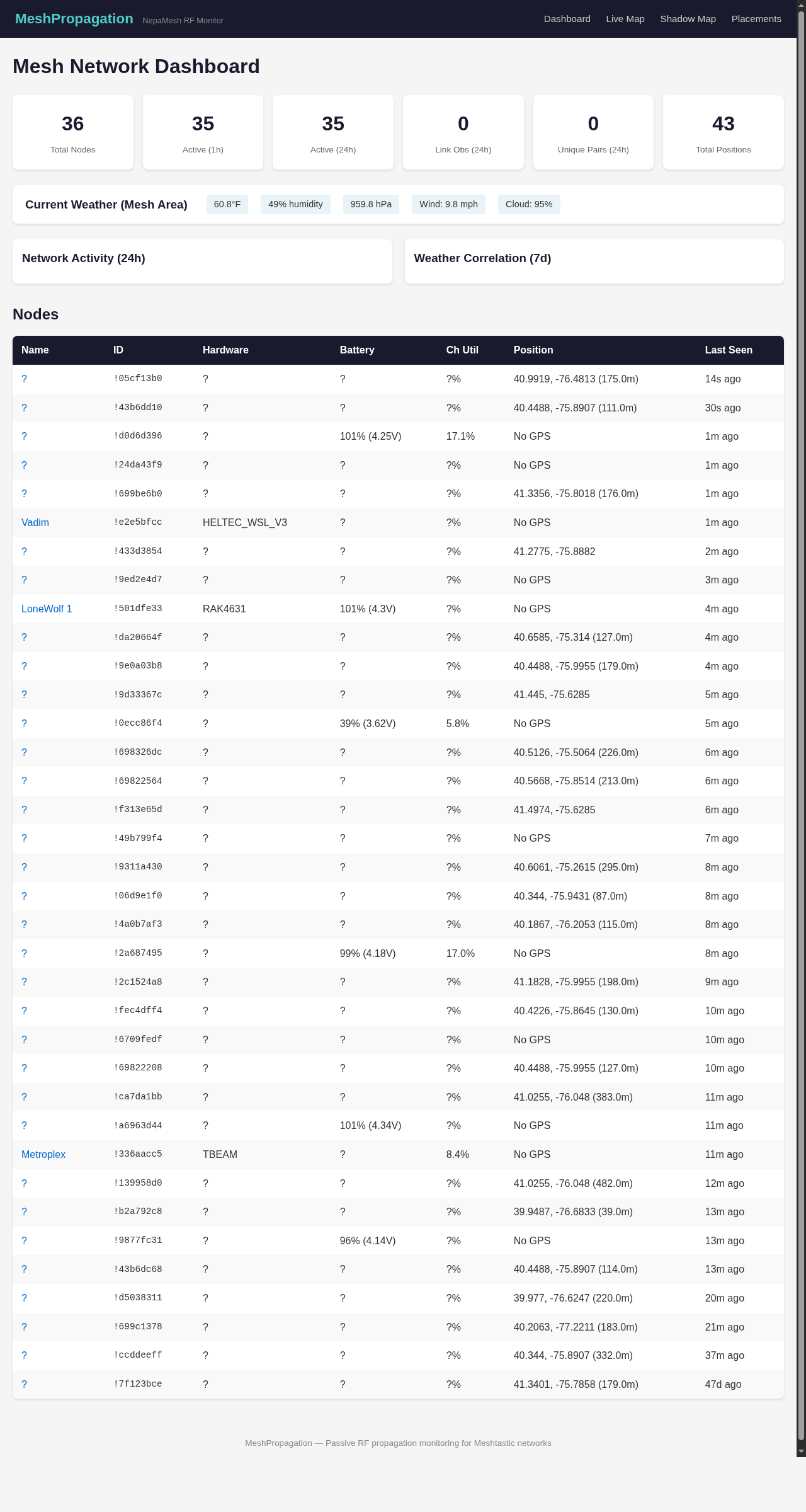
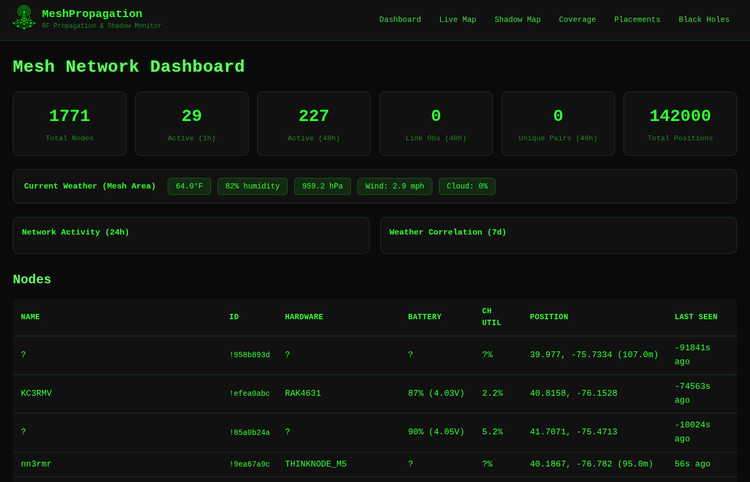
The dashboard gives you live node counts, current weather (temperature, humidity, barometric pressure, wind speed, cloud cover, because RF propagation actually cares about weather, it turns out), network activity charts, and a full node table.
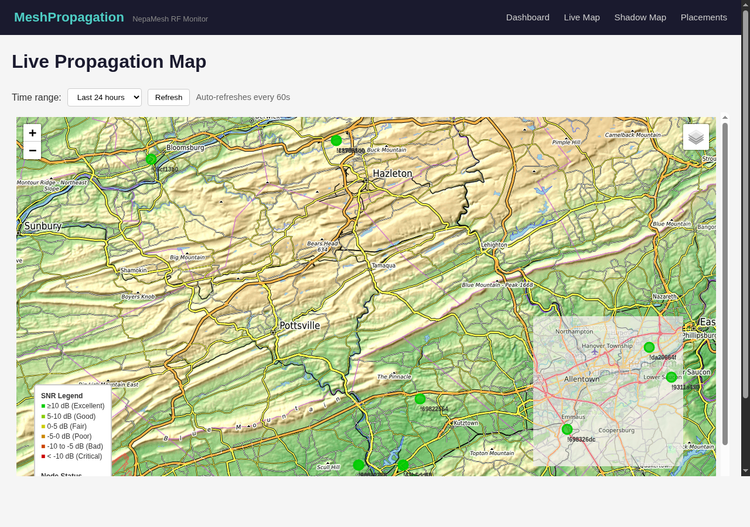
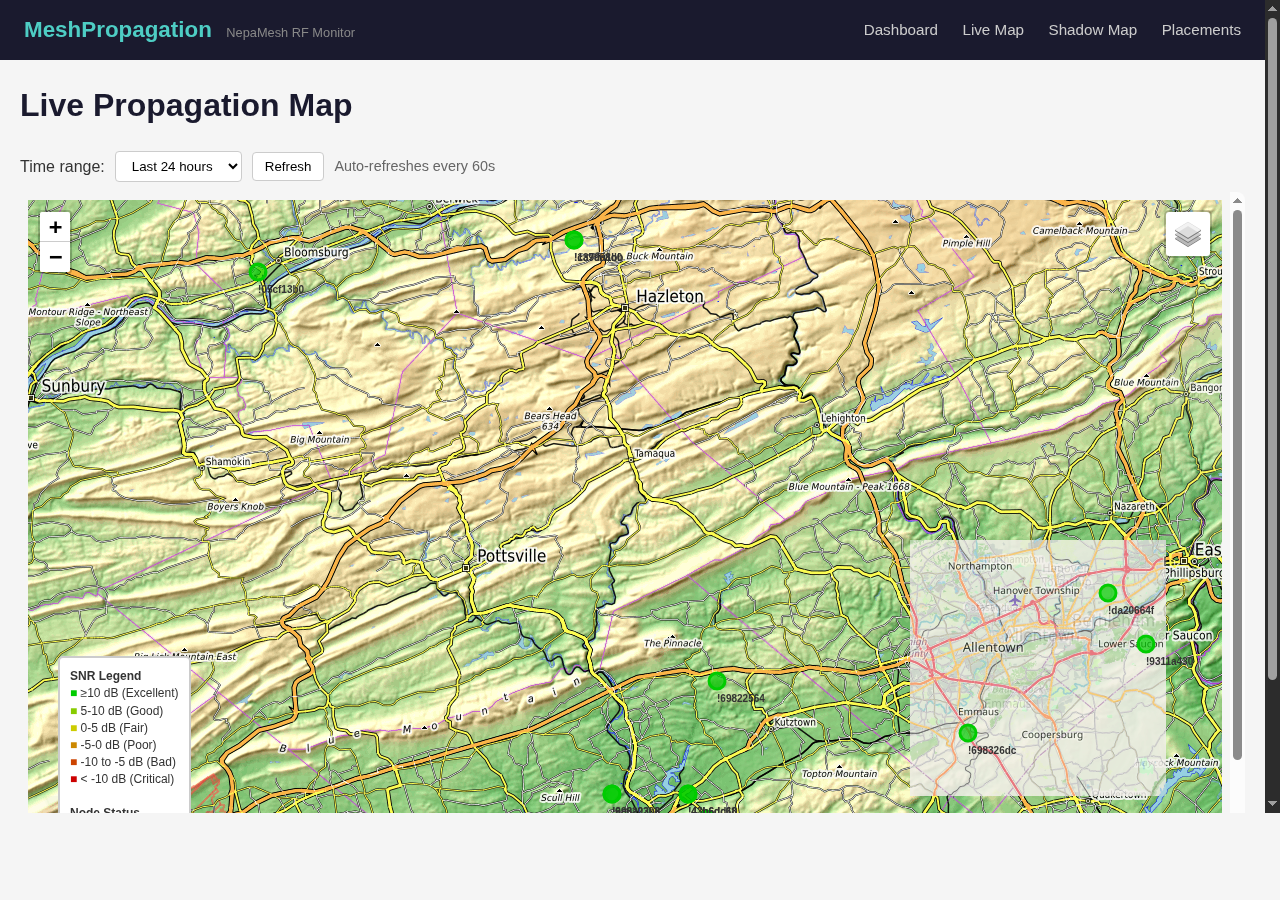
The Live Propagation Map shows actual observed RF links between nodes, color-coded by signal quality. You can dial the time range anywhere from 1 hour to 7 days. This isn't modeled coverage, it's what the mesh actually did.
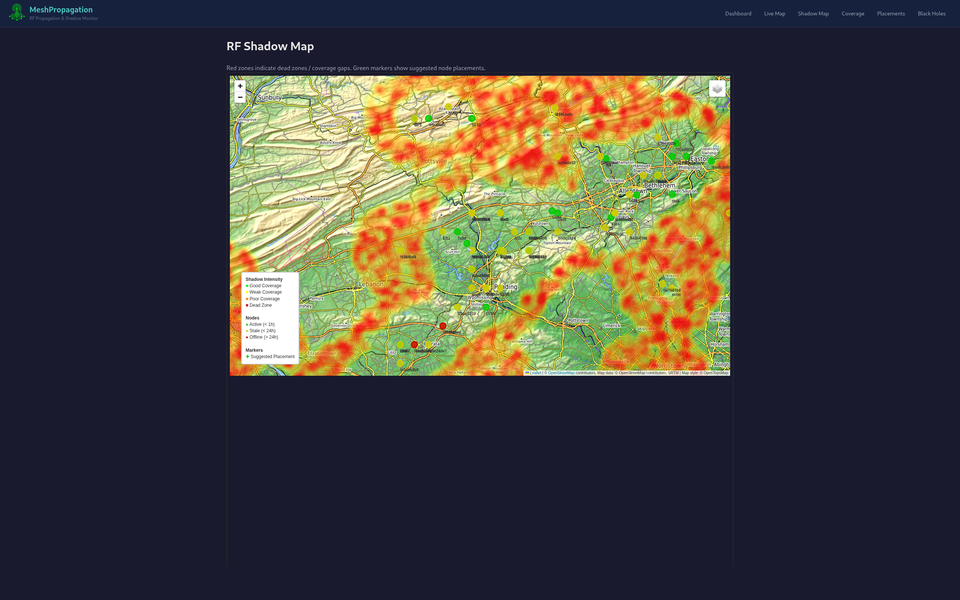
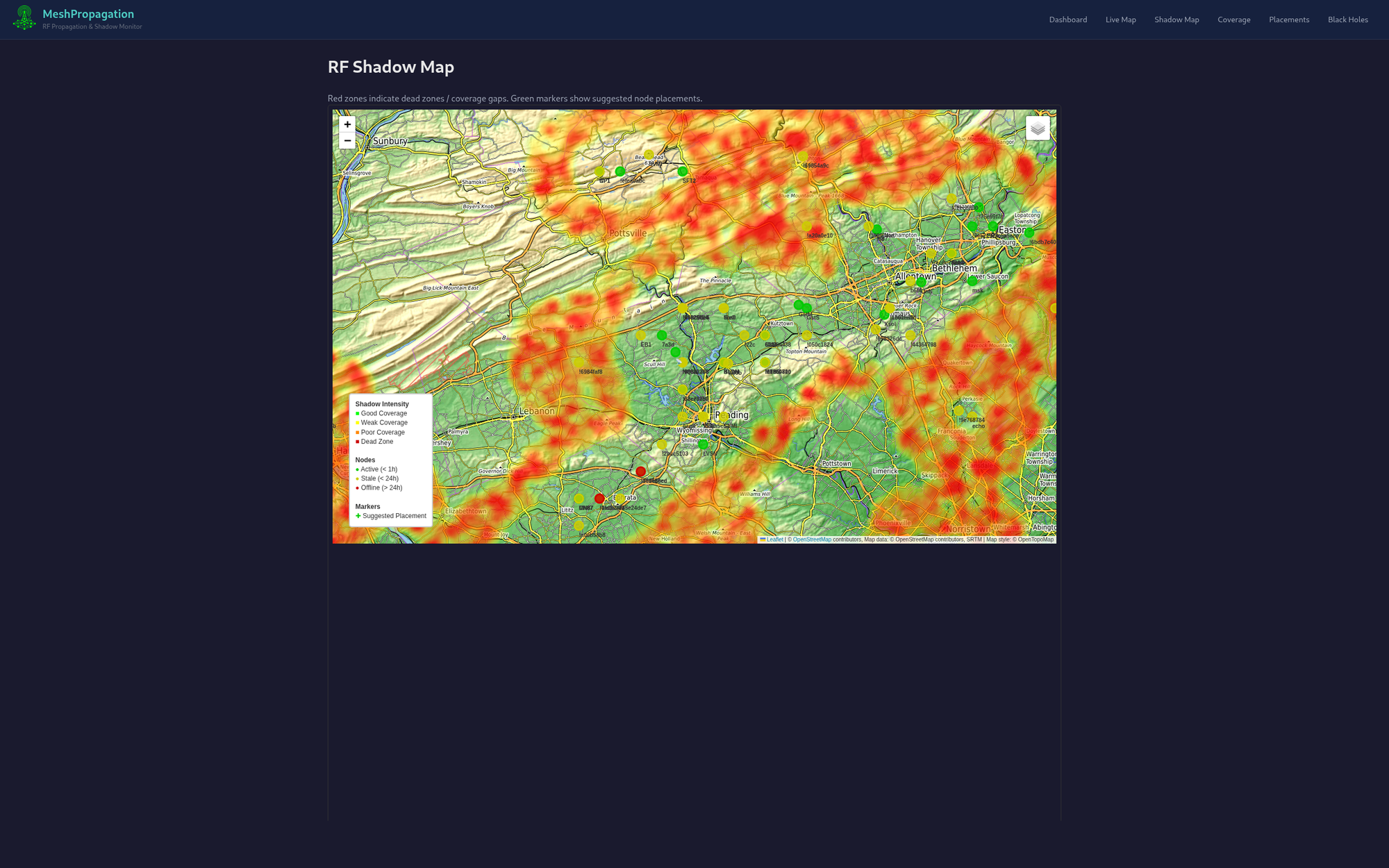
The Shadow Map is the one people keep screenshotting. Red means no coverage. Green means good. The Wyoming Valley has a lot of green along the ridgelines and a lot of red in the valleys, which is exactly what you'd expect from LoRa RF in mountainous terrain, and also exactly the kind of thing you need to see to know where to put the next node.
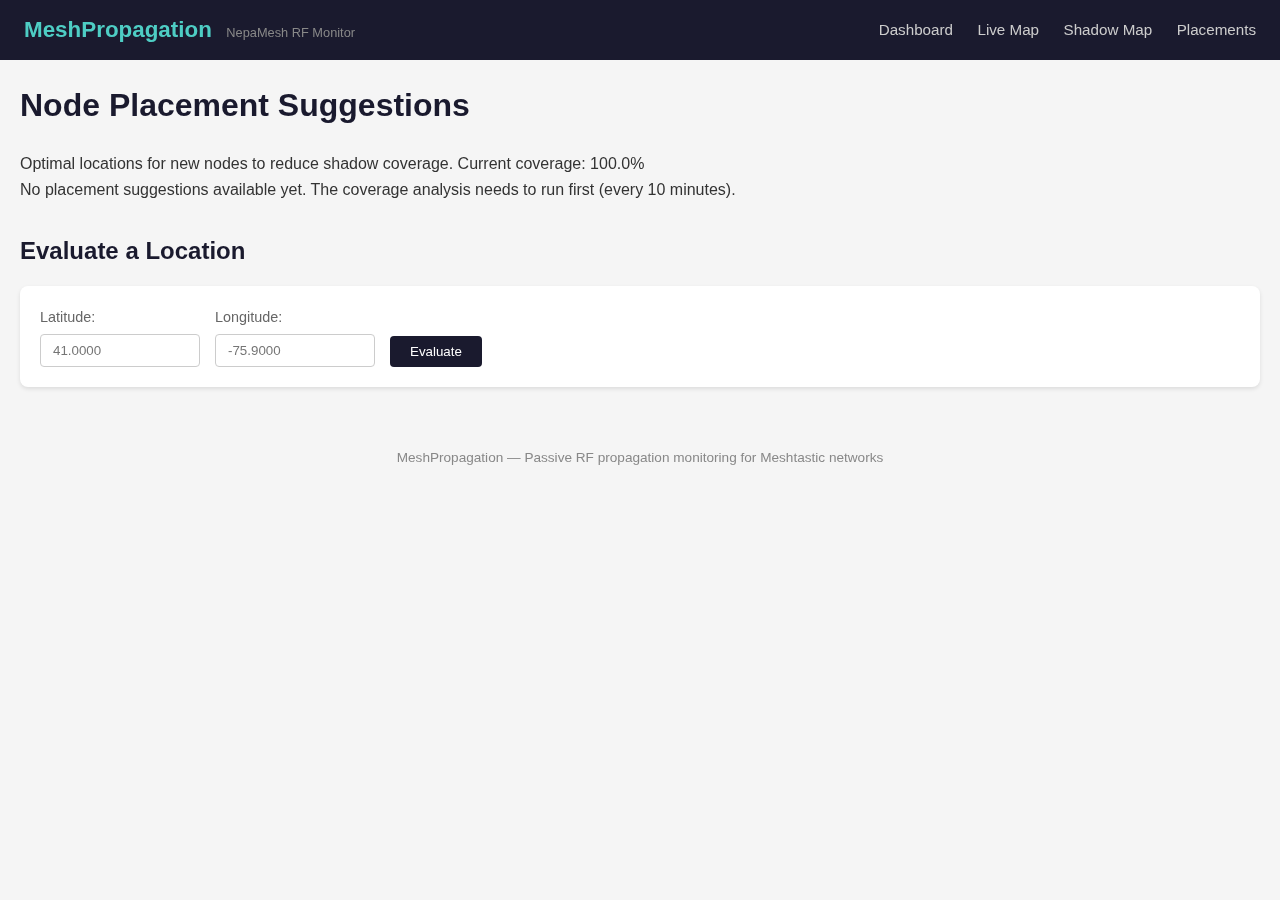
There's also a Node Placement Suggestions engine that looks at the shadow map and tells you where a new node would do the most good, optimal coordinates, elevation analysis, coverage impact estimate. You can also punch in your own coordinates and have it evaluate your specific spot. Runs every 10 minutes.
The backend is processing hundreds of nodes and tens of thousands of observations from the MQTT feed, correlating against weather data and terrain elevation. Coverage grades run A through F (A is 90%+, F is below 60%). The whole stack is open source on GitHub.
Getting it working felt a little like magic. It mostly still does.
The Discord Bot
Because staring at a website is so last year.
The propagation platform now has a full Discord bot integration. Every feature on the site is accessible via slash commands, directly in the NEPAMesh Discord, without opening a browser.
/propagation, current network status/suggest, top node placement recommendations/evaluate [coordinates], assess a specific location/deadzone, show current coverage gap analysis
It also runs automated anomaly alerts: ducting events, signal fade, new links forming, links dropping. When a dead zone gets eliminated, it celebrates. Appropriately.
This is the thing that actually changes behavior. When you can check mesh conditions from the same place you're already talking to people, you actually check it. The NEPAMesh Discord is right here if you're not there already.
Where Things Stand
One month ago NEPAMesh was a mesh with a map and a blog. Now it has a propagation monitoring platform, a shadow analysis engine, a node placement tool, a Discord bot with anomaly detection, and a substantially better-documented onboarding path for new nodes.
The network is at 337 nodes and growing. The Wyoming Valley ridgelines are getting increasingly well-covered. The valleys are still a project.
If you've got a node, make sure it's on the map. If you don't have a node, a Heltec V3 is $20 and the setup guide is right there. The mesh is more useful the more people are on it, that's how mesh works.
More to come in May.
Meshtastic is a registered trademark of Meshtastic LLC. Meshtastic software components are released under various licenses, see GitHub for details. No warranty is provided, use at your own risk. This post is not endorsed by or affiliated with Meshtastic LLC.