Meshtastic vs. MeshCore vs. Reticulum: What Each One Actually Does
NEPAMesh has been a Meshtastic network since it started, and everything on this site up to now has assumed that's the only mesh you're running. Given the amount of inquiries in the Discord concerning the competing standards, it was about time to move forward. In this vein, we have brought up a Reticulum backbone, now live at reticulum.nepamesh.com, and there's a second LoRa mesh firmware, MeshCore, that a lot of people are asking about in the Discord. This post explains what all three actually are, how they differ under the hood, and how to get on each one from scratch: what to flash, what app to install on your phone or PC, and how to send a first message.
None of this replaces Meshtastic. You can run all three at once, on different hardware, for different reasons. By the end of this post you'll know why you'd want to.
The Short Version
Meshtastic and MeshCore are close cousins. Both are firmware you flash onto a small LoRa radio, both create a local mesh of radios that talk directly to each other, and both are aimed at the same use case: a handheld or fixed node that gets you text messages and location without cell service. They compete for the same hardware and the same use case.
Reticulum is not in that category. It's a general-purpose networking stack, not a chat app. It doesn't care whether the bytes move over LoRa, WiFi, a wired Ethernet port, or the plain internet, and it will happily route through a mix of all four in the same session. Meshtastic and MeshCore are things you could theoretically build on top of Reticulum; they just weren't. Comparing Reticulum against the other two feature-for-feature is a bit like comparing a specific radio to the concept of a network cable, so its section below is framed differently on purpose.
Meshtastic: The One You're Already On
Meshtastic runs on three microcontroller families: ESP32 and ESP32-S3 boards (WiFi and Bluetooth, used in devices like the Heltec V3 and LILYGO T-Deck), nRF52 boards (Bluetooth only, more power efficient, used in the T-Echo and WisMesh Tag), and the newer RP2040/RP2350 chips for cheap DIY builds. Nearly everything current uses a Semtech SX1262 radio. Regional frequency is set from a published list of 26 region codes, each with an exact frequency range and legal power limit baked in: US runs 902 to 928MHz at up to 30dBm, EU_868 runs 869.4 to 869.65MHz at 27dBm with a hard 10% duty cycle limit, and so on down the list.
Routing. Meshtastic calls its algorithm "Managed Flooding," and the "managed" part matters. Rebroadcasting isn't universal; it's a per-role setting. The default CLIENT role retransmits packets, and the dedicated ROUTER, ROUTER_LATE, and REPEATER roles always retransmit with priority, but CLIENT_MUTE (the role NEPAMesh recommends for most handheld nodes) and CLIENT_HIDDEN do not forward other people's traffic at all. Among the nodes that do retransmit, before doing so each one listens for a moment to see if another node has already rebroadcast the same packet. If so, it stays quiet. The wait time is scaled by signal strength: a node that heard the packet weakly (meaning it's probably farther from the source, and therefore its rebroadcast reaches new territory) waits less time than a node that heard it strongly. The effect is that distant nodes tend to relay first, and nearby nodes that already heard the relay skip their own redundant copy. It's still flooding among the nodes participating in it, but it's flooding with some manners.
Encryption. Meshtastic's own documentation on this is unusually direct, and worth repeating here rather than taking their marketing at face value. Channel traffic is AES256-CTR encrypted, but the default public channel uses a published, universally known key ("AQ==" in the config), so anyone can read anything sent on it, by design, that's what makes it the public channel. Set up a private channel with your own key and you get real confidentiality, with three caveats straight from their docs: there's no forward secrecy, so a leaked channel key can retroactively decrypt anything ever sent on it that someone recorded; group channel messages have no integrity check, so a known-plaintext attack can forge traffic that looks legitimate; and node identity is just a hardware MAC address, trivially spoofable. Direct messages got a real upgrade in firmware 2.5.0, moving to per-node public key encryption with sender signatures, but that protection doesn't extend to group channels.
Apps. iOS, iPadOS, macOS, watchOS, and visionOS all get a native Apple app. Android gets a native app that also compiles as a desktop build for Linux, macOS, and Windows, so "Android app" and "Meshtastic desktop app" are the same codebase. There's also a browser-based web client at client.meshtastic.org using the Web Bluetooth and Web Serial APIs, best supported in Chromium browsers. You already know how to flash and pair a Meshtastic node if you've read anything else on this site; see the hardware buyer's guide and getting started post if you haven't.
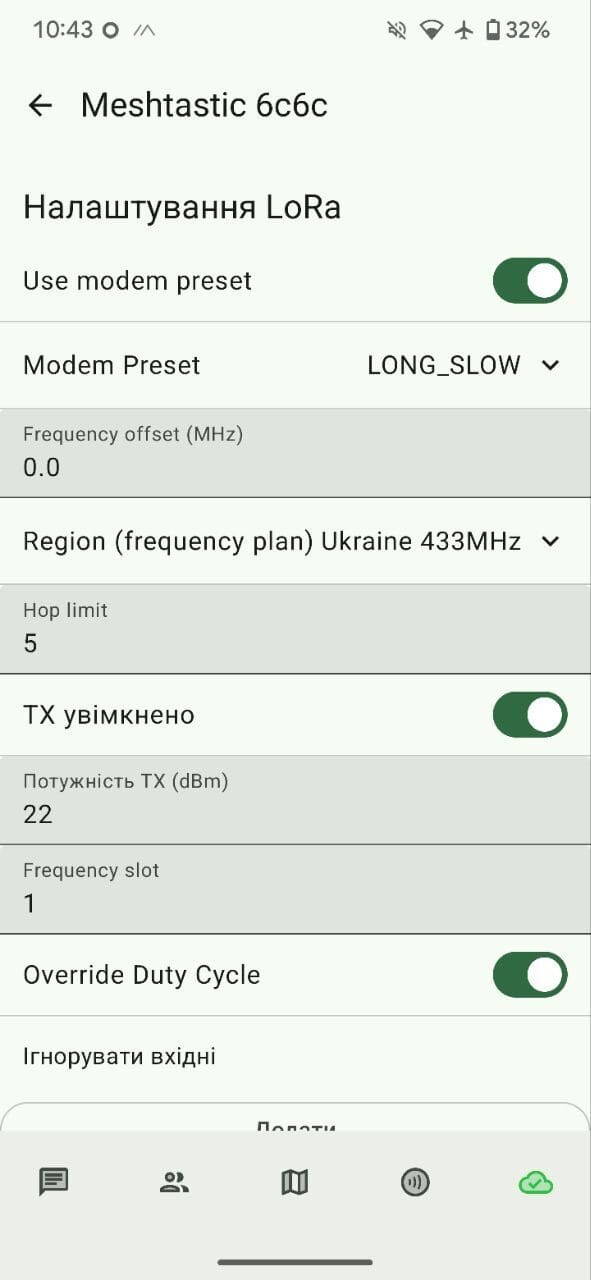
Photo: MykolaFIAT, CC BY-SA 4.0, via Wikimedia Commons. Shown for illustration only; this node isn't configured for NEPAMesh's US region.
MeshCore: A Different Take on the Same Radios
MeshCore runs on much of the same hardware as Meshtastic, Heltec V3/V4, RAK WisBlock, LILYGO T-Deck and T-Pager, plus some devices unique to the MeshCore ecosystem like the T-Deck-based MeshOS handhelds. Supported radios cover 433, 868, and 915MHz depending on which module you buy, but MeshCore doesn't publish a fixed table of country presets the way Meshtastic does. Instead the flashing tool applies a small number of named region presets, "EU/UK Narrow" is the one you'll see most in Europe, and the underlying bandwidth, spreading factor, and coding rate are exposed as raw radio knobs you can adjust yourself rather than locked to a region code.
Node roles. This is the structural difference that matters most. Meshtastic can be configured either way: its default CLIENT role relays, but plenty of NEPAMesh nodes run CLIENT_MUTE specifically so they don't, leaving that job to dedicated ROUTER, ROUTER_LATE, and REPEATER nodes. MeshCore just makes that split mandatory instead of optional, with three fixed roles: a Companion node pairs to your phone or PC and never repeats other traffic; a Repeater does nothing but relay, with no client attached, meant to sit somewhere high with good line of sight; and a Room Server acts as a shared bulletin board other nodes can post into, and only repeats if an admin explicitly turns that on. A plain companion device, the kind you'd carry, will never rebroadcast someone else's message. Coverage comes entirely from dedicated repeaters.
Routing. MeshCore doesn't flood every message the way Meshtastic does. The first message to a new destination floods once, same as Meshtastic. But the destination's delivery report, which lists every repeater the message actually passed through, gets flood-routed back to the sender and cached as a known path. Every message after that is source-routed along that specific path: it's embedded in the packet, and a repeater only retransmits if its own address matches the next hop listed. Everyone else stays silent. It falls back to flooding again only after three failed retries on a stale path. Group channel messages, which have no single destination, always flood since there's no path to cache. The tradeoff is real: MeshCore uses less airtime per message once a path is established, but a route through a repeater that goes offline has to fail three times before the sender notices and re-floods.
Encryption. Messages are AES-128 encrypted; MeshCore doesn't publish the kind of detailed threat-model breakdown Meshtastic does, so treat that as a narrower claim. The default public channel key is published, same idea as Meshtastic's "AQ==": 8b3387e9c5cdea6ac9e5edbaa115cd72 in hex, or izOH6cXN6mrJ5e26oRXNcg== in base64 for the T-Deck.
The catch. Most MeshCore firmware, Companion and Repeater builds for standard hardware, is free and open source under MIT. The MeshOS firmware built specifically for the T-Deck, T-Pager, and T-Display P4 is not: it ships in trial mode with basic chat working and everything else locked behind a paywall, an £8 one-time device license plus a separate £2.99 app activation fee the first time you connect a radio to the MeshOS companion app. Standard Companion-firmware devices, a Heltec V3 for instance, don't hit this paywall at all. Factor that in before buying hardware specifically for MeshCore.
Apps. iOS and Android both get a native app. Their marketing page makes this easy to miss, but that same app also runs on Windows and Intel Mac; it isn't a separate desktop build. First BLE pairing uses PIN 123456 on devices with no screen.
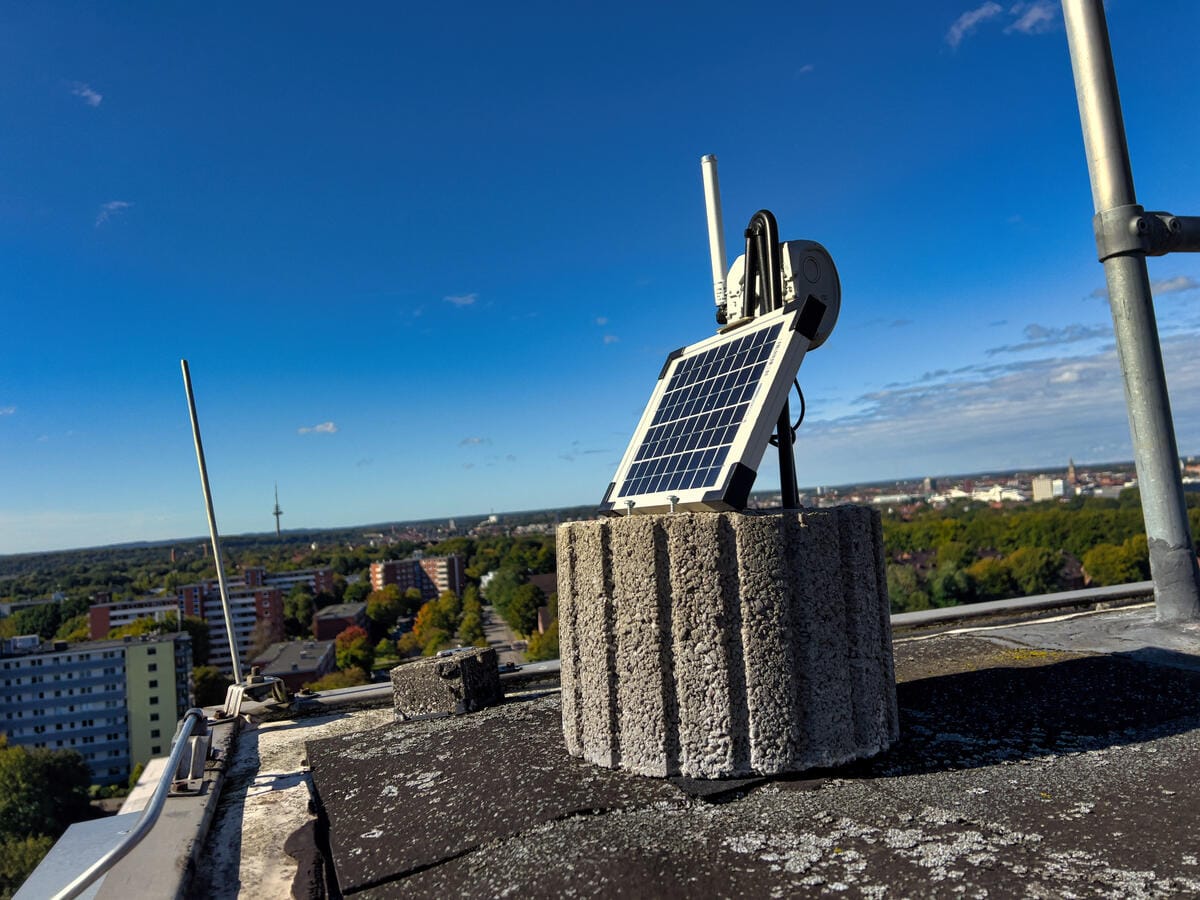
Photo: Fabian Horst, CC BY 4.0, via Wikimedia Commons. This is a 868MHz EU repeater; a US MeshCore repeater would run 915MHz instead.
Reticulum: Not Really a Competitor
Reticulum is a cryptography-based networking stack, not an app or a firmware. It runs as a pure Python process (pip install rns), no kernel modules, no drivers, on anything from a Raspberry Pi Zero to a full desktop. What makes it unusual is that it treats the physical medium as a plug-in. The same Reticulum instance can carry traffic over LoRa (via an open transceiver design called RNode, installable on many of the same boards Meshtastic and MeshCore use), packet radio TNCs, WiFi, wired Ethernet, the plain internet over TCP, or the I2P anonymity network, and it can hop between all of them in the same route without you configuring anything beyond which interfaces exist.
Addressing and encryption. There's no concept of a shared channel key the way Meshtastic and MeshCore have one. Every identity is a 512-bit keypair (X25519 for encryption, Ed25519 for signatures), addresses are derived from that key rather than assigned by anyone, and packets carry no source address at all, a design choice Reticulum calls initiator anonymity. Encrypted links use AES-256-CBC with HMAC-SHA256, and forward secrecy is on by default for every connection type, not bolted on for a subset of message types the way it is elsewhere. Setting up a fully encrypted, verified link costs three packets and 297 bytes total, and costs only about 0.44 bits per second to keep open afterward, cheap enough to hold hundreds of idle links on a LoRa-class connection.
Store-and-forward. This is a real capability gap in Reticulum's favor. LXMF, the messaging protocol most Reticulum chat apps use, supports genuine offline delivery through Propagation Nodes: if the recipient isn't reachable right now, a propagation node holds the message and delivers it once they come back online. Neither Meshtastic nor MeshCore does this by default.
Apps. The main one is Sideband, a full-featured LXMF client with voice calls, file transfer, and location sharing. It runs on Android, Linux, macOS, and Windows. It does not run on iOS, and that's a deliberate decision, not a gap they're working on: the project states outright that Sideband will never carry an Apple-controlled signing certificate, since that would let Apple disable it remotely. The other common client, MeshChat, runs as a local Python process with a browser-based interface, which also isn't an option on stock iOS. If your household is iPhone-only, there is currently no native way to get on a Reticulum network from the phone itself; you'd need a Mac, a Windows PC, or an Android device instead. A third option for Android is Columba, which I had more success with than Sideband. All things considered, I would probably skip Sideband, and use Columba (https://columba.network/).
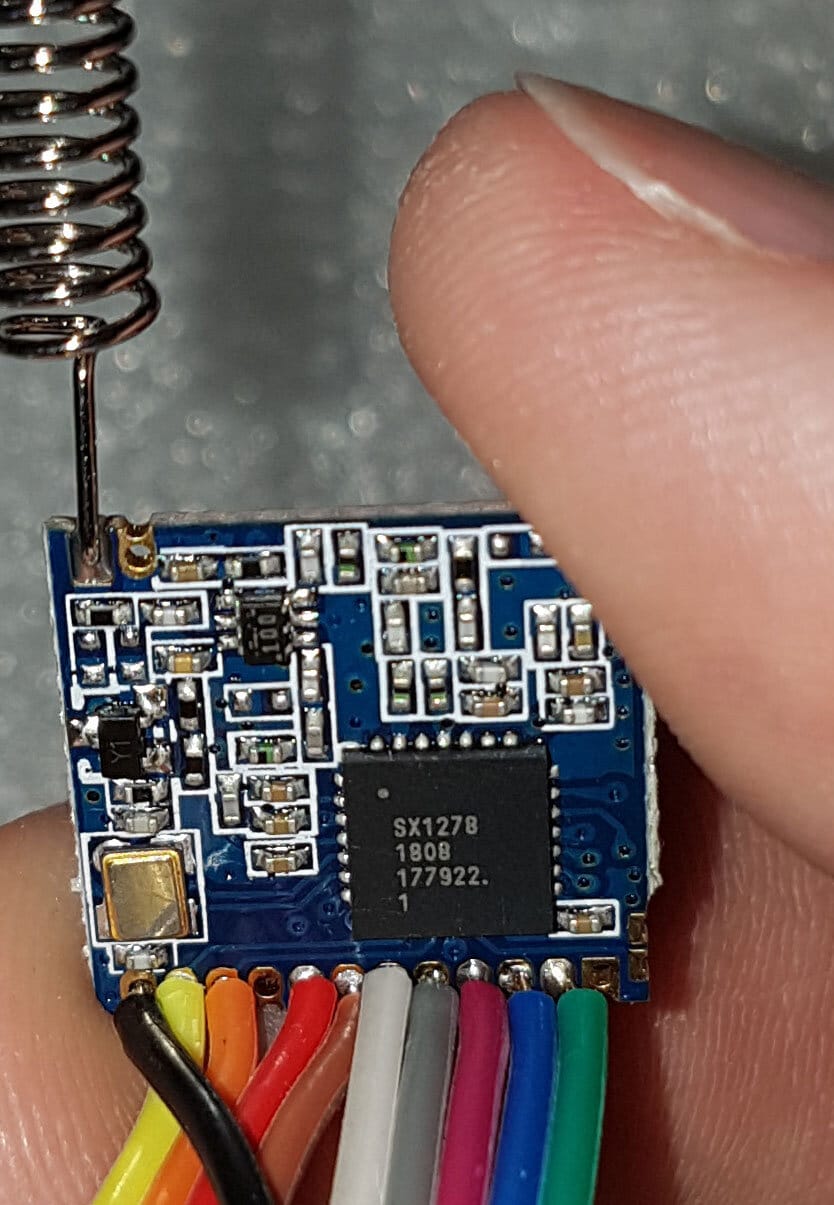
Photo: Cnd, CC0 / public domain, via Wikimedia Commons. A generic module shown for illustration; it isn't flashed or configured for any specific network.
NEPAMesh's backbone. reticulum.nepamesh.com exists specifically so you don't need your own LoRa radio or internet-facing server to reach the wider Reticulum network. Reticulum's own documentation is emphatic that you shouldn't rely on any single hardcoded entrypoint forever, the intended pattern is to use a known server like this one to bootstrap connectivity and discover more local peers over time, but connecting to it is still the fastest way to get a working Reticulum identity on the internet today. After installing Reticulum (pip install rns), add an interface like this to ~/.reticulum/config:
[[NEPAMesh Backbone]]
  type = TCPClientInterface
  enabled = yes
  target_host = reticulum.nepamesh.com
  target_port = 4242
Once that interface is active and rnsd is running, install Sideband, let it generate an identity, and you can message anyone else reachable through the backbone, no radio required.
Head to Head
| Meshtastic | MeshCore | Reticulum | |
|---|---|---|---|
| What it is | LoRa mesh firmware | LoRa mesh firmware | Networking stack |
| Radio hardware | ESP32, nRF52, RP2040/2350 | Same families, MeshCore-specific variants too | Any medium via interfaces, including LoRa via RNode |
| Every node relays? | Optional per role: CLIENT does, CLIENT_MUTE doesn't | No, only Repeaters and opted-in Room Servers | N/A, routing is per-interface, not per-role |
| Routing | Managed flooding, every message | Flood once, then cached source routing | Self-configuring multi-hop over mixed carriers |
| Default public key | Published ("AQ==") | Published (hex/base64 above) | No shared channel key concept |
| Forward secrecy | No | Not documented | Yes, by default, all links |
| Store-and-forward | No (unofficial module exists) | No | Yes, via LXMF Propagation Nodes |
| iOS app | Yes | Yes | No |
| Android app | Yes | Yes | Yes |
| Desktop app | Yes (Linux/macOS/Windows) | Yes (Windows/Intel Mac) | Yes (Linux/macOS/Windows) |
| Cost | Free | Free, except MeshOS hardware (£8 + £2.99) | Free |
Getting Started: Meshtastic
If you're new to NEPAMesh, start here, not with the other two. Flash from flasher.meshtastic.org, install the app for your platform, pair over Bluetooth or USB, set your region under LoRa settings, and you're on the mesh. The full walkthrough, including which board to buy, lives in the hardware buyer's guide.
Getting Started: MeshCore
- On a computer running Chrome or Edge, go to the MeshCore Configurator and click Set Up Your Device.
- Pick your hardware from the list, then choose Companion Bluetooth unless you specifically want a standalone MeshOS device or a repeater.
- Connect the device by USB, click Install Firmware, and select it when your browser asks which USB device to use.
- Once flashed, name the device, set your radio region (for example EU/UK Narrow), and save.
- Install the MeshCore app on your phone (iOS, Android, or the same app on Windows/Intel Mac), grant Bluetooth permissions, and tap Connect to find your radio. Use PIN
123456if the device has no screen. - First connection requires an activation key. Standard Companion firmware is free to activate; MeshOS hardware requires the paid license described above.
- Send a message on the default public channel to confirm everything works before setting up a private one.
Getting Started: Reticulum
- Install Python 3 if you don't already have it, then run
pip install rns(add--break-system-packagesif your OS blocks user-level pip installs). - Add the NEPAMesh backbone interface shown above to
~/.reticulum/config. - Run
rnsdto start Reticulum as a background service, andrnstatusto confirm the interface connected. - Install Sideband for your platform (Android, Linux, macOS, or Windows). It will generate a Reticulum identity on first launch.
- Send a message to another known Reticulum address to confirm delivery. Anyone else connected through reticulum.nepamesh.com, or through any other interface that eventually routes to it, is reachable.
Which One Should You Actually Run?
Keep Meshtastic if you're already on it; NEPAMesh's map, dashboards, and community are built around it and it's not going anywhere. Add MeshCore if you want to experiment with source-routed mesh behavior or you're specifically interested in its room server / BBS style channels, just budget for the MeshOS license if that's the hardware you want. Add Reticulum if you want a real internet-independent identity that can also ride over the actual internet when convenient, especially if store-and-forward messaging or connecting multiple physical mesh networks together matters to you. None of these require giving up the others, and the same LoRa hardware families show up in more than one column above, so trying a second network doesn't necessarily mean buying new gear.
NEPAMesh is a community Meshtastic network covering Northeastern Pennsylvania's Wyoming Valley. Live map at map.nepamesh.com. Questions in the Discord.
Meshtastic is a registered trademark of Meshtastic LLC. No warranty is provided. Use at your own risk. This post is not endorsed by or affiliated with Meshtastic LLC. MeshCore and Reticulum are separate, unaffiliated projects; details above reflect their public documentation as of this writing and may change.