Meshtastic Hardware Buyer's Guide: What to Buy, What to Skip, and Why It Depends
The question gets asked in the Discord at least twice a week: "What board should I get?" The honest answer is "it depends," which is not helpful unless you follow it up with "here's what it depends on." This post does that.
There are now more Meshtastic-capable boards than anyone reasonably needs, ranging from $10 bare modules that require soldering skills and patience to $70 near-finished handheld communicators that work out of the box. The right one for you depends on whether you want GPS, a display, WiFi, low power draw, a keyboard, or just the cheapest thing that gets on the mesh.
Quick orientation before we get into specifics: Meshtastic runs on two main microcontroller families, ESP32 (Espressif, includes WiFi and BLE) and nRF52840 (Nordic Semiconductor, BLE only, lower power). The radio is almost always an SX1262 at this point, occasionally the older SX1276. Get SX1262 if you have a choice, it's more sensitive and more efficient.
Quick Reference
| Board | MCU | Radio | GPS | Display | Price | Best For |
|---|---|---|---|---|---|---|
| Heltec V3 | ESP32-S3 | SX1262 | No | OLED | ~$18 | First node, fixed installs |
| LILYGO T-Beam | ESP32 | SX1262 | Yes | Optional | ~$40 | Mobile, vehicle, portable |
| LILYGO T-Echo | nRF52840 | SX1262 | Yes | E-ink | ~$55 | Carried daily, low power |
| LILYGO T-Deck | ESP32-S3 | SX1262 | Optional | Touchscreen | ~$65 | Handheld communicator |
| RAK WisBlock | nRF52840 | SX1262 | Optional | Optional | ~$35+ | Custom builds, solar, serious deployments |
| M5Stack Cardputer | ESP32-S3 | via module | No | 1.14" LCD | ~$45+ | Hackers, compact keyboard node |
| Seeed XIAO nRF52840 | nRF52840 | SX1262 | No | No | ~$20 | Ultra-compact, embedded, you like soldering |
The Main Field
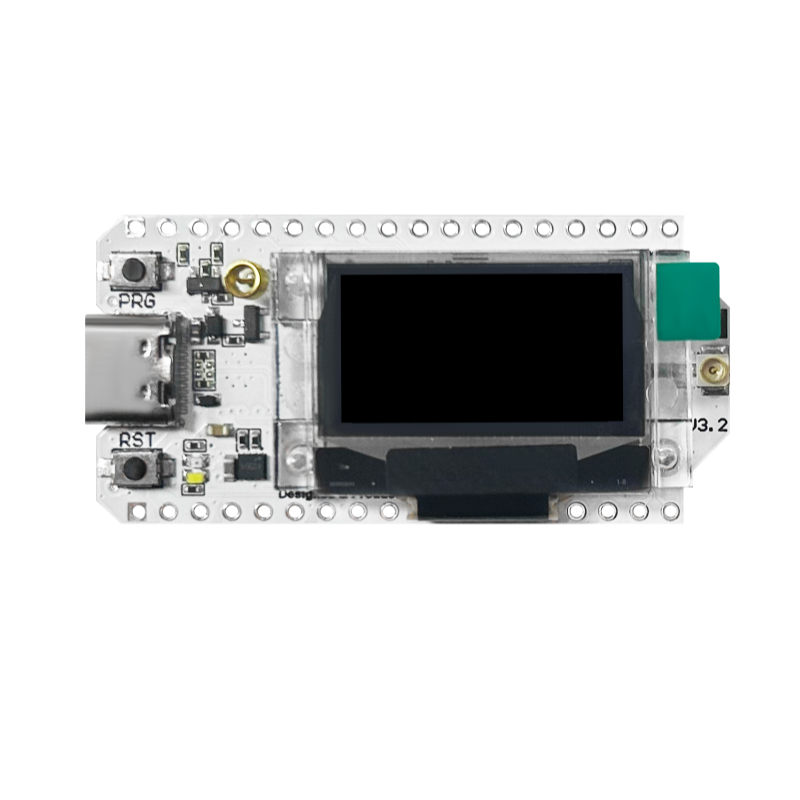
Heltec WiFi LoRa 32 V3: The Default Starter
~$18 · ESP32-S3 · SX1262 · 0.96" OLED · No GPS · JST-PH 1.25mm battery
The Heltec V3 is the board that probably got more people on the mesh than anything else. It's cheap, it's well-supported, it has a small OLED display so you can see it's actually doing something, and it flashes with the Meshtastic web flasher in about two minutes. If someone asks you what to buy and you don't want to ask twenty follow-up questions, this is the answer.
The OLED shows node count, last message, signal info. The ESP32-S3 means WiFi is available for MQTT forwarding. The SX1262 radio is current-generation. The form factor is small enough to fit in an Altoids tin with the antenna connector poking out the side.
The catches: the JST-PH 1.25mm battery connector is a nonstandard size that most LiPo packs don't use, you'll either buy a Heltec-specific battery or swap the connector. It draws more power than nRF52-based boards, so battery life is shorter. And there's no GPS, which matters if you want your node to report its own location.
Buy it if: You want to get on the mesh for the least amount of money and friction. First node. Fixed indoor install. Anything where you'll be close to USB power.
Skip it if: Battery life is critical, you need GPS, or you're building something that'll live outside unattended for months.
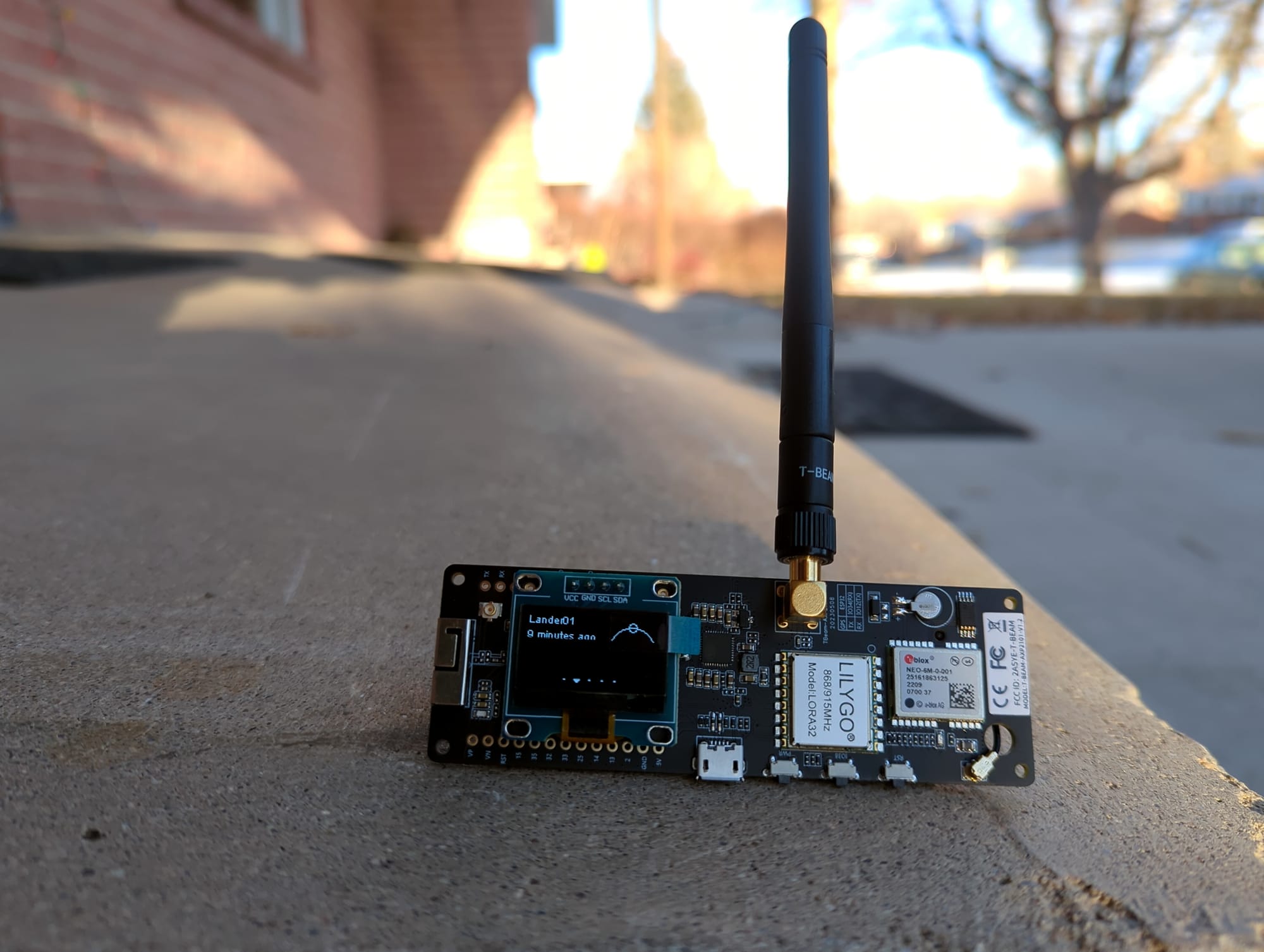
LILYGO T-Beam: The Mobile Workhorse
~$40–50 · ESP32 · SX1262 · GPS (NEO-6M or NEO-M8N) · Optional OLED · 18650 holder
The T-Beam is what you buy when you need GPS and you want the battery situation handled. The 18650 holder is a genuine advantage, 18650 cells are everywhere, cheap, and you can swap them without tools. The built-in GPS means the node knows where it is and broadcasts that to the mesh, which shows up on the map and helps your contacts know your location is current.
It works well in vehicles, in go-bags, on bikes, anywhere you're moving and want the mesh to move with you. The larger ESP32 chip also means more RAM and processing headroom if you're running custom firmware or using the serial API.
The main gotcha is version confusion. There are many T-Beam revisions, v1.0, v1.1, v1.2, Supreme, and not all of them have the SX1262. Older versions use the SX1276, which works but is less sensitive. The T-Beam Supreme (the current one) has SX1262 and the NEO-M8N GPS, which is better than the older NEO-6M. Make sure you're buying the Supreme or at minimum a v1.2 with SX1262. Check the listing carefully, the photos don't always match the actual hardware.
Buy it if: You want GPS. Mobile use. Vehicle node. Go-bag build. Anywhere the 18650 form factor is convenient.
Skip it if: Size matters, power draw matters, or you want something pocketable without a bulky case.
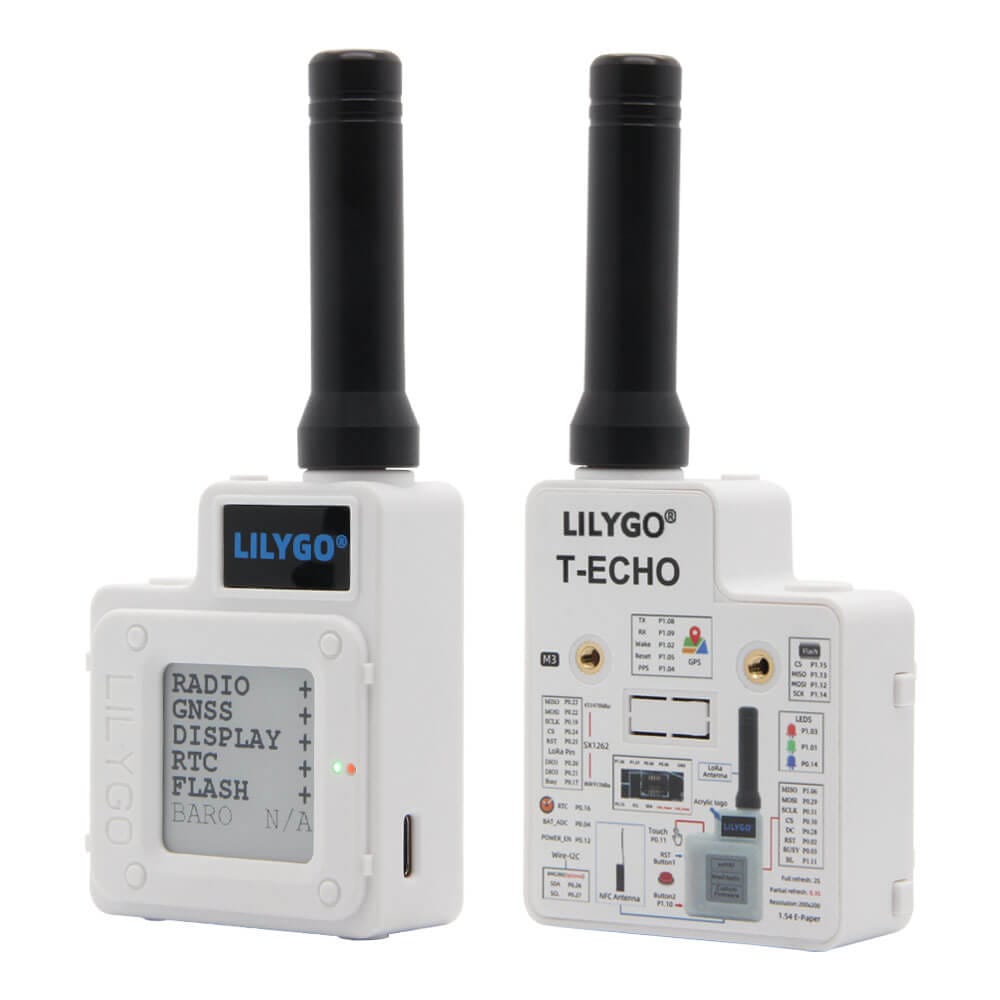
LILYGO T-Echo: The Underrated Daily Carry
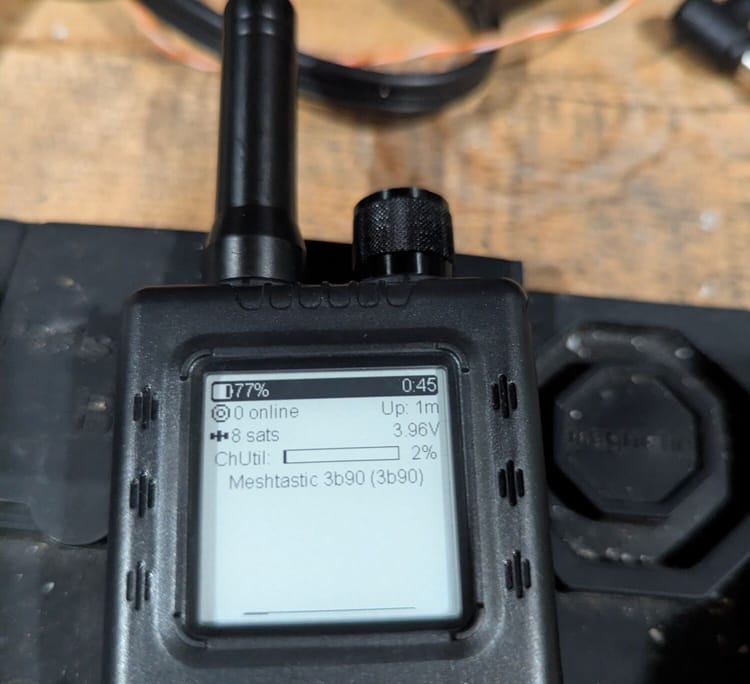
~$55 · nRF52840 · SX1262 · GPS · E-ink display · LiPo · Built-in case
The T-Echo is the board that deserves more attention than it gets. It comes in a finished enclosure, has an e-ink display that's readable in direct sunlight (unlike an OLED, which washes out), includes GPS, and runs on nRF52840, which means dramatically lower power draw than any ESP32 board. On a 1000 mAh LiPo with the GPS active, it'll run for a day or two. With GPS off, longer.
The e-ink display only refreshes when something changes, which contributes to the power efficiency. It shows signal strength, message count, node list, GPS coordinates. It looks like a finished product in a way that most Meshtastic hardware doesn't.
The limitations: no WiFi (nRF52 is BLE only), so no MQTT forwarding without a separate device. Updates require nRF Connect DFU rather than the simpler web flasher. And at $55 it's not a casual impulse buy.
Buy it if: You want a daily-carry node. Long battery life matters. Outdoor readability matters. You want something that looks finished when you hand it to someone unfamiliar with electronics.
Skip it if: You need WiFi/MQTT, you want the cheapest option, or you're building a fixed node where battery life doesn't matter.
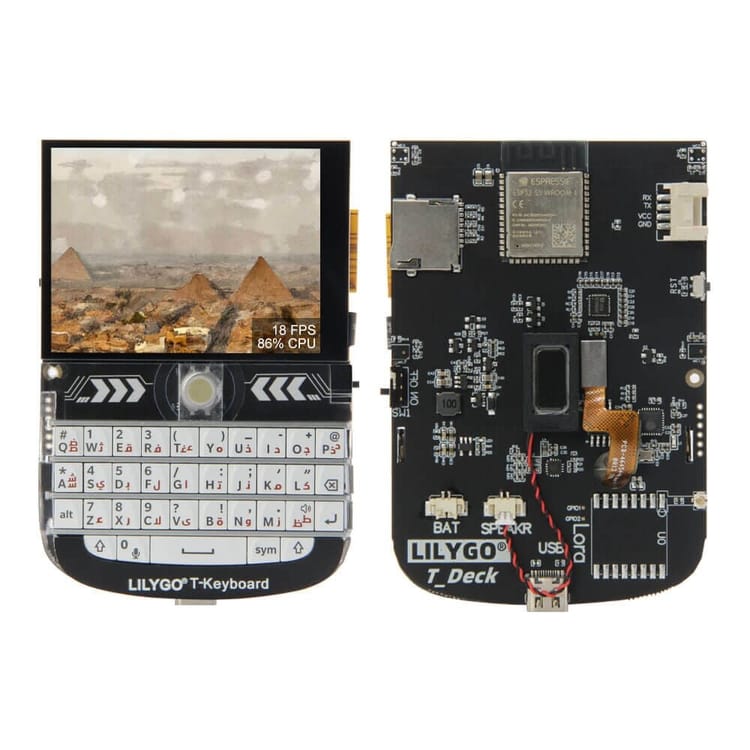
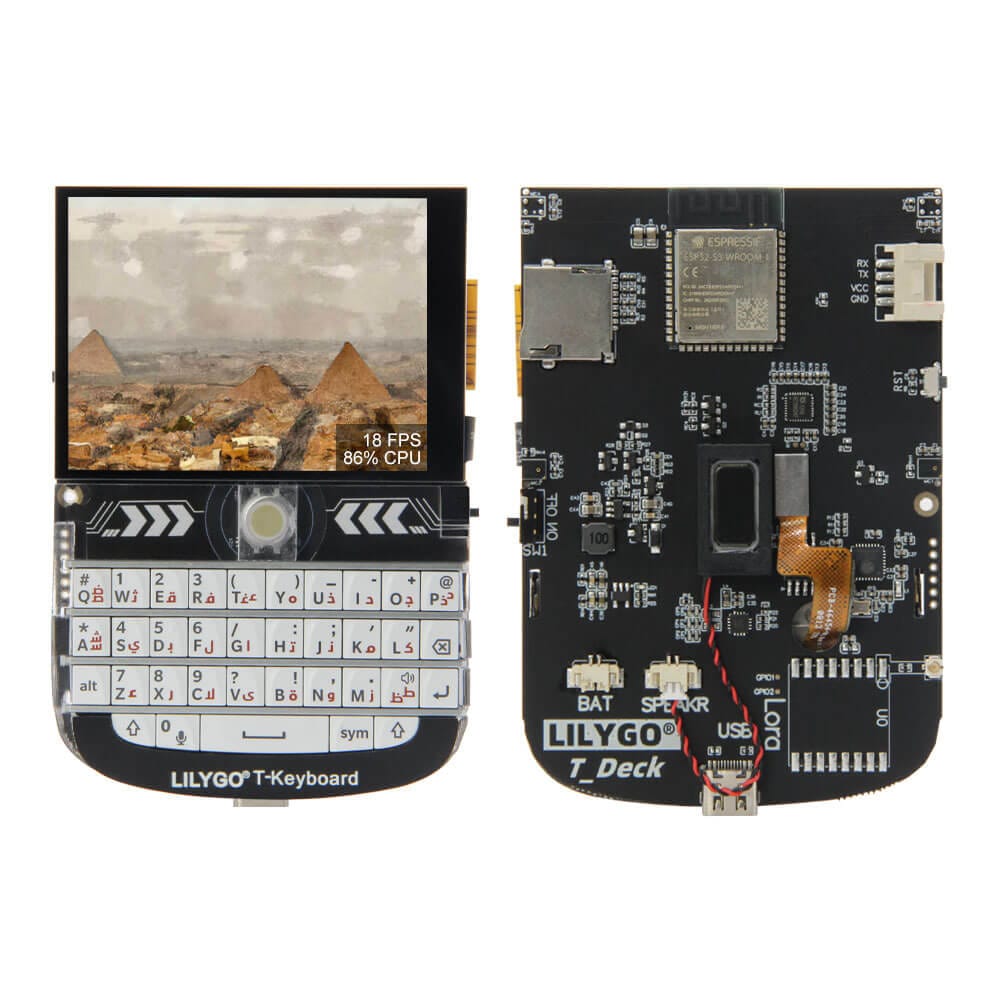
LILYGO T-Deck: The Handheld Communicator
~$65 · ESP32-S3 · SX1262 · GPS (T-Deck Plus only) · Touchscreen + QWERTY keyboard · LiPo
The T-Deck is what happens when you ask "what if we made Meshtastic look like a tiny BlackBerry." It has a physical QWERTY keyboard, a 2.8" touchscreen, a speaker, and a trackball. It's the closest thing to a purpose-built Meshtastic communicator at a price that doesn't require justification to a committee.
It genuinely works for messaging on the mesh. The keyboard is small but usable. The screen is bright and shows a reasonable amount of information. The T-Deck Plus adds GPS.
The tradeoffs: it's the biggest and heaviest option here, the battery life is unremarkable (ESP32 power draw, mediocre internal LiPo), and it's best understood as a communicator rather than an infrastructure node. You wouldn't put one in a weatherproof enclosure on a roof, you'd carry it.
Buy it if: You want to actually type messages on the mesh. You're doing a demonstration or showing the technology to someone new. The handheld communicator aesthetic matters to you.
Skip it if: You want a node, not a communicator. Battery life matters. Size/weight matters.
RAK WisBlock: The Right Answer for Serious Builds
~$35+ · nRF52840 · SX1262 · Modular (GPS, display, sensors all optional) · JST-PH 1.25mm
The RAK WisBlock system is different from every other option on this list. Instead of a single fixed board, it's a modular platform: a base board, a core module (the RAK4631, which carries the nRF52840 and SX1262), and a growing ecosystem of IO modules. GPS, OLED display, environmental sensors, solar charger inputs, and more. You assemble what you need. Definitely want to use caution if connecting a battery to this board. The base board has the positive side clearly marked, but it is the opposite side of every jst connector I have come across. Flipping the connector around is easy enough, but thinking you can just plug it in without verifying will lead to a bad day.
The nRF52840 core means excellent power efficiency. The modular system means you can add GPS for a mobile build, leave it off for a fixed node, add environmental sensors for a weather station, and swap modules if your requirements change. The firmware support is solid, the RAK4631 is one of the most mature Meshtastic platforms.
The catches: it costs more to get started because you're buying a base board and a core module separately. Updates require nRF Connect DFU rather than the simpler web flasher. And the modular nature means it needs an enclosure, it's a platform, not a finished product. That's also what makes it powerful.
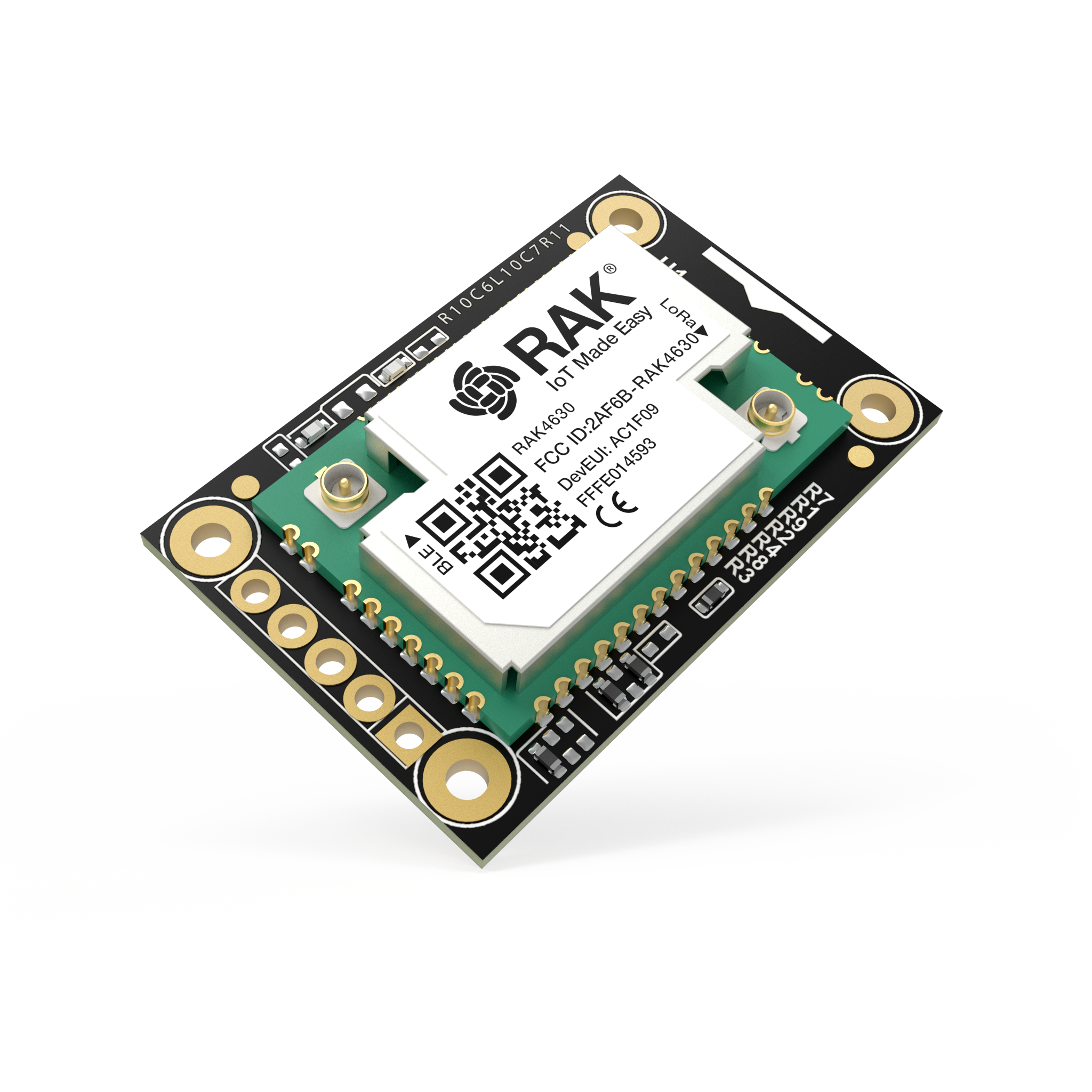
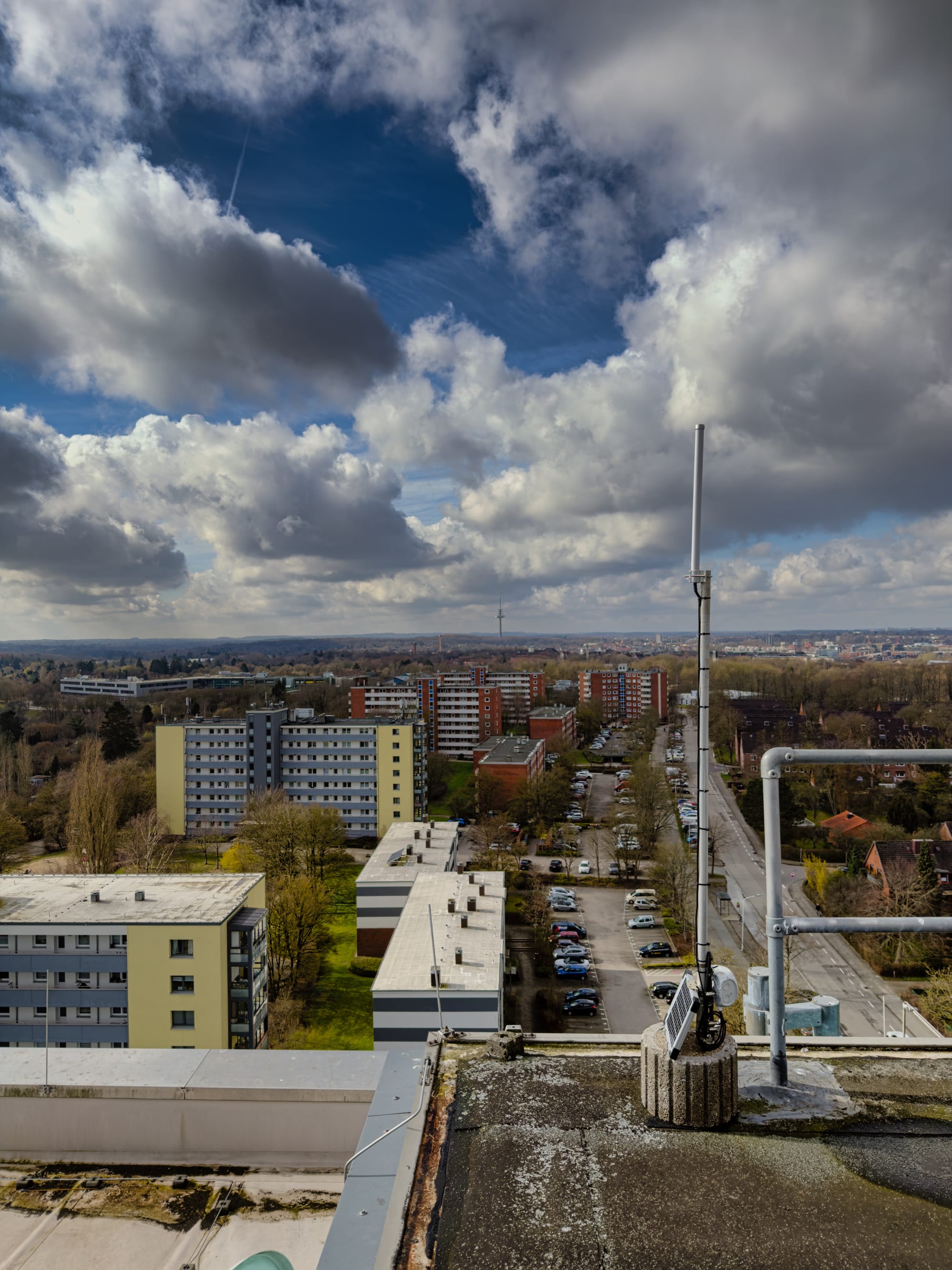
For outdoor solar nodes, the RAK WisBlock is hard to beat: low power, modular, well-documented, and the community has built out extensive enclosure and mounting designs for it. I hacked together a solar node with a WisBlock, USB-C Solar Panel, 2 18650 batteries, and a apache case from Harbor Freight in an afternoon. Quick and dirty build but effective: look for IWannaRak when in the NEPA area.
Buy it if: Outdoor deployment. Solar power. You want to add sensors. You're building something permanent. You want the best power efficiency. You're comfortable with slightly more complexity.
Skip it if: You want plug-and-play simplicity. Budget is tight. You just want to try Meshtastic without commitment.
The Dark Horses
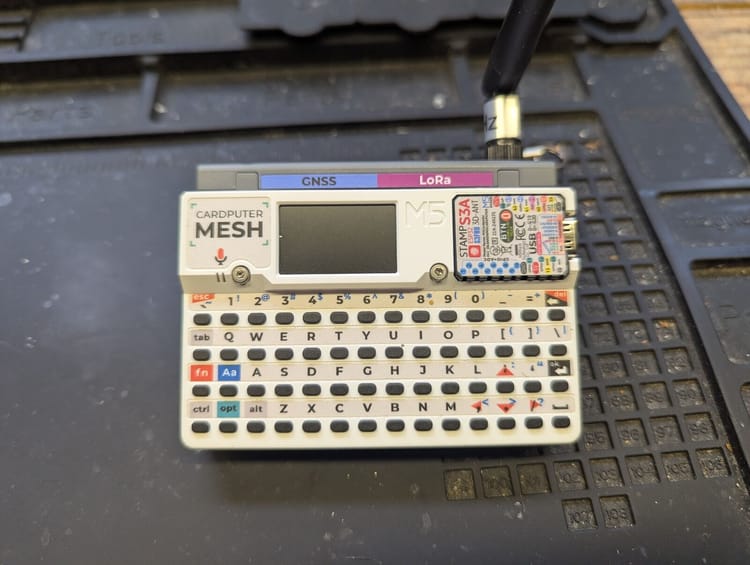
M5Stack Cardputer: Tiny Keyboard Energy
~$30 Cardputer + ~$15 LoRa module · ESP32-S3 · SX1262 via module · 1.14" LCD · QWERTY keyboard
The Cardputer is a credit-card-sized ESP32-S3 device with a tiny but functional QWERTY keyboard and a small color screen. M5Stack makes a LoRa module that plugs into the Cardputer's expansion port and puts SX1262 on the 915 MHz band. Put them together and you have the smallest keyboard-equipped Meshtastic node around.
It's genuinely cool and genuinely useful for demos. The keyboard works. Meshtastic runs on it. The form factor fits in a shirt pocket.
The caveats: it's not plug-and-play. You need to buy the Cardputer and the LoRa module separately, ensure you have the right module for 915 MHz, and flash firmware that supports the combination. The community support exists and is active, but it's thinner than for the T-Beam or Heltec. The compact antenna situation also means it's not going to win range contests.
Buy it if: You want the smallest possible keyboard node. Demos. You're a hardware enthusiast who enjoys this kind of thing. You already own a Cardputer and want to add mesh to it.
Skip it if: You want the path of least resistance. You need reliable range. You want something you can hand to a non-technical person and have it just work.
Seeed XIAO nRF52840 + WIO-SX1262: Ultra-Compact, Ultra-Capable
~$10 XIAO + ~$10 WIO-SX1262 · nRF52840 · SX1262 · No display · No GPS · Tiny
The XIAO nRF52840 is a stamp-sized development board from Seeed Studio, about the size of a large postage stamp. Seeed makes the WIO-SX1262, a LoRa radio breakout that stacks directly on top of it. The combination gives you a fully functional nRF52840 + SX1262 node for around $20 in parts, in a footprint smaller than a matchbook.
The nRF52840 means excellent power efficiency, this combination can run for weeks on a small LiPo if you configure sleep modes correctly. There's no display, no GPS, no battery management on board; you supply all of that yourself. That's the point: this is a building block, not a finished product.
Meshtastic firmware supports the combination, though you'll be flashing via nRF Connect DFU and the documentation assumes more comfort with hardware than the Heltec or T-Beam guides do. The payoff is a node that fits inside literally any enclosure, draws minimal current, and costs less than the alternatives.
Buy it if: You want to embed a node inside something, a piece of equipment, a custom enclosure, a wearable project. Ultra-low power is the priority. You're comfortable reading a datasheet and soldering header pins. You want the most flexible low-power platform at the lowest cost.
Skip it if: You want a working node this weekend. Soldering and firmware troubleshooting are not your idea of a good time. You need a display or GPS.
What to Actually Buy
Just want to try it: Heltec V3. $18. Flash it in five minutes. Done.
Want GPS and mobility: T-Beam Supreme. Make sure it says SX1262.
Want to carry it daily: T-Echo. The e-ink display and battery life are worth the price.
Want to type on it: T-Deck or Cardputer depending on whether you want something that works out of the box or something you want to tinker with.
Building a serious outdoor/solar node: RAK WisBlock. Full stop. The modularity and power efficiency are worth the setup cost.
Want the smallest possible node: XIAO nRF52840 + WIO-SX1262, if you're comfortable with the assembly.
Things That Will Get You
Version confusion on the T-Beam. There are T-Beams with SX1276 and T-Beams with SX1262. The SX1276 works. The SX1262 is better. The product photos often show an older version. Read the specs, not the photos.
Counterfeit and mystery boards. AliExpress and Temu are full of boards that claim to be Heltec or LILYGO products but aren't. They might work. They might not. If the price is 40% below what the legitimate board costs, something is off. Buy from the manufacturer's official AliExpress store (Heltec, LILYGO, RAK, and Seeed all have official stores) or from distributors like Rokland, Mouser, or Amazon where the listing is fulfilled by the brand.
Battery connector mismatch. The Heltec V3 uses a JST-PH 1.25mm connector. Most LiPo packs use JST-PH 2.0mm. They are not the same size and they will not connect. Buy the right battery or swap the connector, a JST 1.25mm 2-pin pigtail is $2 on Amazon and takes five minutes to solder.
RP-SMA vs. SMA. Covered in the antenna post, but worth repeating: check what connector your board has before ordering an antenna. Most Meshtastic boards are SMA female. Some cheap boards are RP-SMA. They look almost identical. They do not interoperate.
U.FL to SMA pigtail. The RAK WisBlock and Heltec V3 have a U.FL connector on the PCB. If you're using an external antenna, you need a U.FL to SMA pigtail to get from the board to the antenna connector on your enclosure. They're cheap and easy to miss when ordering parts.
Where to Buy
- Rokland (rokland.com). US-based, fast shipping, legitimate stock of Heltec, LILYGO, and RAK. The right answer if you want it this week.
- Seeed Studio (seeedstudio.com). Official source for XIAO, WIO-SX1262, and RAK WisBlock kits.
- Heltec official AliExpress store, For Heltec hardware direct from the manufacturer at lower prices if you can wait two weeks.
- LILYGO official AliExpress store. Same deal for T-Beam, T-Echo, and T-Deck.
- Amazon. Convenient, but verify the seller is the brand or a known distributor. The counterfeit problem is real in this category.
Total cost to get on the mesh: $18–25 including a battery and antenna, if you start with a Heltec V3. Total cost for a serious outdoor solar node with GPS: $80–120 including enclosure, solar panel, battery, and RAK hardware. Everything in between is covered by one of the boards above.
Meshtastic is a registered trademark of Meshtastic LLC. No warranty is provided, use at your own risk. This post is not endorsed by or affiliated with Meshtastic LLC.